
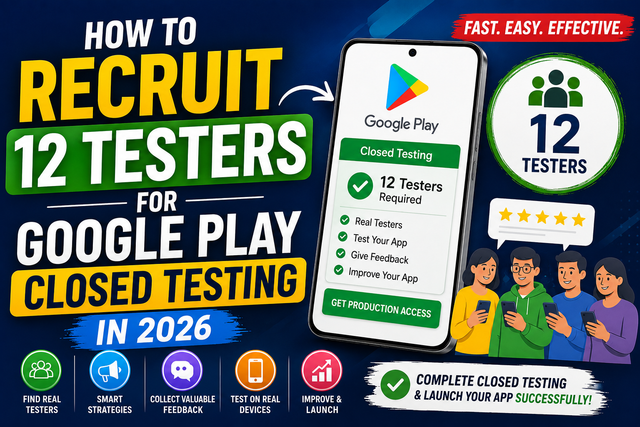
Finding 12 testers for Google Play Closed Testing can be challenging. Discover proven methods to recruit real testers, improve your Android app with meaningful feedback, and meet Google Play requirements before requesting production access
Introduction
If you're publishing your first Android app on Google Play, you've probably come across one of the biggest challenges—finding 12 testers for Google Play Closed Testing.
Many developers finish building their app only to realize they can't request production access until they complete the required testing process. Finding people who are willing to install your app, keep it installed, and actively test it isn't always easy, especially if you're a solo developer or a small startup.
The good news is that you don't need a huge community or thousands of followers to complete this step successfully.
In this guide, you'll learn practical ways to recruit 12 testers for Google Play Closed Testing, avoid common mistakes, and prepare your app for a successful launch.
Why Do You Need 12 Testers?
Google Play uses Closed Testing to help developers improve their apps before making them available to everyone.
For eligible developer accounts, this testing stage helps Google understand that your app has been tested by real users before production access is requested.
Instead of seeing it as an obstacle, think of it as an opportunity to discover bugs, improve performance, and create a better experience for future users.
What Makes Finding Testers Difficult?
Many developers face the same problems.
Some don't have friends or family who use Android devices.
Others share their app online but receive very little response.
Even when people agree to help, they may install the app but never actually use it.
This is why planning your testing strategy early can save you a lot of time.
Ways to Recruit 12 Testers
1. Ask Friends and Family
The easiest place to start is with people you already know.
Friends, relatives, classmates, and coworkers may be willing to help by installing your app and sharing feedback.
Explain why their testing is important and encourage them to use the app naturally.
2. Join Android Developer Communities
There are many online communities where developers help each other test apps.
You can connect with other Android developers, exchange feedback, and find people who are interested in testing new applications.
Always follow the community's rules before sharing your app.
3. Use Social Media
Share your app on platforms like LinkedIn, X, Facebook, or other developer-focused communities.
Tell people what your app does and explain that you're looking for testers.
A clear and honest post often gets better results than simply asking people to install your app.
4. Reach Out to Existing Users
If you've already launched a website or built an email list, invite your audience to participate in testing.
People who are already interested in your project are often happy to help improve it.
5. Work With Other Developers
Many independent developers help each other during the testing phase.
You can test someone else's app while they test yours.
This creates a win-win situation and allows both developers to collect useful feedback.
6. Use a Professional Closed Testing Service
If you're struggling to find enough testers, a professional Google Play Closed Testing service can help manage the process.
These services usually provide access to active testers, organize testing, and help developers collect useful feedback before applying for production access.
Choose a service that focuses on real testing rather than simply adding people to a tester list.
Keep Your Testers Engaged
Finding testers is only the first step. Keeping them engaged throughout the testing period helps you collect better feedback and improve your app before its public release.
To make testing more useful:
Explain how the app works: Give testers a brief introduction to your app and its main purpose. Let them know what problems it solves, how to navigate it, and which features are most important. Clear instructions help testers understand what to do and reduce confusion during testing.
Ask testers to explore different features: Encourage testers to go beyond the home screen. Ask them to create accounts, complete tasks, use different settings, make purchases if applicable, and try every major feature. Testing multiple user flows increases the chances of discovering bugs and usability issues.
Encourage honest feedback: Let testers know that honest feedback is more valuable than positive feedback. Ask them to report anything that feels confusing, slow, or doesn't work as expected. Their suggestions can help you improve the overall user experience before launch.
Respond to reported issues: When testers report bugs or problems, acknowledge their feedback and let them know you're investigating the issue. Responding quickly builds trust and motivates testers to continue participating throughout the testing period.
Share updates when bugs are fixed: After releasing an updated version of your app, inform your testers about the changes. Ask them to verify that the reported issues have been resolved and encourage them to continue exploring the app for any new problems. Regular updates keep testers engaged and ensure your improvements are properly validated.
The better the communication, the better the testing experience.
Common Mistakes to Avoid
Many developers make small mistakes that slow down the testing process.
Waiting Until the Last Minute
Start looking for testers before your app is completely finished.
Choosing Inactive Testers
People who never use the app provide very little value.
Look for testers who are genuinely interested.
Ignoring Feedback
If testers report bugs, take time to fix them before requesting production access.
Providing No Instructions
Tell testers what features you want them to try.
Simple guidance often leads to more helpful feedback.
Focusing Only on Numbers
Finding 12 testers is important, but collecting meaningful feedback is even more valuable.
The goal is to improve your app—not just complete a requirement.
Best Practices
Tips to Recruit Testers Successfully for Google Play Closed Testing
1. Start Early
Don't wait until your app is finished to look for testers. Begin recruiting as soon as you have a stable version of your app. This gives you enough time to invite testers, fix any issues they discover, and complete the required 14-day testing period without delaying your app launch.
2. Build a Small Testing Community
Create a group of reliable testers who are willing to test your future apps. You can build this community through social media, developer forums, friends, colleagues, or existing users. Having a dedicated group makes future testing much faster and easier.
3. Test on Different Android Devices
Android runs on thousands of devices with different screen sizes, hardware, and operating system versions. Testing on a variety of devices helps identify compatibility issues, performance problems, and UI bugs that may not appear on your own phone.
4. Communicate Clearly with Testers
Tell testers exactly what you want them to do. Explain your app's purpose, highlight the features you want tested, and provide simple instructions for installing and using the app. Clear communication leads to more useful feedback and better testing results.
5. Thank People for Helping
Testing takes time and effort. Always thank your testers for participating, whether through a personal message, public recognition, or small rewards where appropriate. Showing appreciation encourages them to help again in the future.
6. Keep Improving Your App Based on Feedback
Collect all feedback carefully and use it to improve your app. Fix bugs, improve performance, and make the user experience better. Regular updates based on real user feedback increase your app's quality and make it more likely to succeed after launch.
7. Complete Every Google Play Console Requirement Before Applying for Production Access
Before requesting production access, make sure your Google Play Console is fully completed. This includes finishing your closed testing period, filling out the Data Safety form, providing a Privacy Policy if required, completing App Content declarations, selecting the correct target audience, and resolving any policy warnings. Double-checking these requirements helps prevent delays or rejection during the review process.
Frequently Asked Questions
Why do I need 12 testers for Google Play Closed Testing?
For eligible developer accounts, Google Play requires developers to complete a Closed Testing phase before requesting production access.
Can my friends be testers?
Yes. Friends, family members, and coworkers can participate as long as they are willing to install and test your app.
What if I can't find enough testers?
You can join developer communities, reach out through social media, collaborate with other developers, or consider using a professional Google Play Closed Testing service.
Should testers provide feedback?
Yes. Feedback helps you identify bugs, improve the user experience, and prepare your app for release.
Is finding 12 testers enough?
Recruiting testers is only one part of the process. You should also use their feedback to improve your app before requesting production access.
My thoughts
Recruiting 12 testers for Google Play Closed Testing may seem challenging at first, but with the right approach, it's completely manageable. Start early, reach out to people who are interested in your app, and focus on meaningful testing instead of simply reaching a number.
Whether you ask friends, connect with developer communities, or use a professional testing service, remember that every tester is an opportunity to make your app better. A well-tested app has a much better chance of delivering a great experience once it's published on Google Play.
Call to Act
Looking for an easier way to complete Google Play Closed Testing? Start building your testing group today, collect valuable feedback, and prepare your Android app for a successful launch.
Follow our blog for more Google Play Console tutorials, Android app publishing guides, Closed Testing tips, and practical advice to help you grow as an Android developer.
Simplify Your Google Play Closed Testing with Professional Test Management
Managing a successful closed testing campaign can be time-consuming, especially when you're trying to recruit reliable testers and keep them engaged throughout the required testing period. A managed testing service like InTesters.com helps streamline this process by coordinating your testing from start to finish.
Instead of searching for testers on your own, you gain access to a network of real Android users testing on a variety of physical devices. Testers install your app through Google Play, explore its core features, complete common user actions, and provide valuable feedback that can help you identify bugs, usability issues, and device compatibility problems.
A structured testing process also makes it easier to track participation, monitor testing progress, and collect meaningful insights before applying for production access. With organized testing records and real user feedback, you'll be better prepared to answer Google's production access questions and submit your app with greater confidence.
Whether you're publishing your first Android app or managing multiple releases, InTesters.com provides a simple, organized way to handle Google Play Closed Testing so you can spend more time building your app and less time managing testers.
While no service can guarantee approval from Google Play, professional test management helps reduce common testing challenges and allows you to focus on improving your app instead of managing the testing process.
About the Author

Saksham Goyal
Expert software tester and contributor to the community. Passionate about AI, automation, and user experience.