
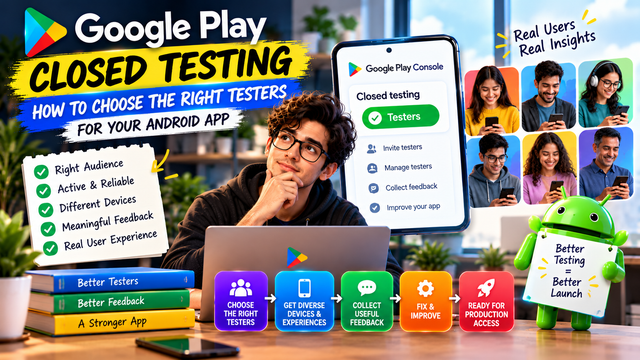
Learn how to choose the right testers for Google Play Closed Testing, improve tester engagement, collect useful feedback, and prepare your Android app for Production Access.
Getting testers for a Google Play Closed Test is easy.
Getting the right testers is a different story.
For developers working toward Google Play Production Access, the goal should not be to collect a list of people who agree to install an app and then disappear. Your testers should help you understand how real users experience the app, identify problems, test important features, and provide useful feedback.
For personal developer accounts created after November 13, 2023, Google requires a Closed Test with at least 12 testers continuously opted in for at least 14 days before you can apply for Production Access. Meeting that requirement makes you eligible to apply, but it does not guarantee Production Access. Google also evaluates tester engagement and what you learned from the test.
So, how do you choose testers who actually help?
1. Don't Choose Testers Based Only on Availability
The easiest mistake is choosing anyone who says:
"Send me the link. I'll install it."
That's not necessarily a useful tester.
A good tester should be able to:
Install the test version correctly
Use the app during the testing period
Explore important features
Follow your testing instructions
Report problems clearly
Describe confusing experiences
Remain opted in throughout the required period
Google specifically recommends giving testers clear testing instructions, explaining what feedback you want, and encouraging them to use as many features as possible.
The objective is not simply tester quantity.
It's useful testing coverage.
2. Choose Testers Who Match Your Target Users
Your testers don't all need to be identical.
In fact, having testers with different backgrounds can reveal problems you would never find by testing your own app repeatedly.
For example, imagine you're building a fitness application.
A useful tester group could include:
Tester Type
What They Can Help You Discover
Regular fitness user
General usability
Beginner
Onboarding problems
Experienced user
Advanced feature issues
Older Android user
Device and performance problems
Different device user
Screen/device compatibility
Occasional user
Discoverability and navigation
Busy user
Whether the core journey is efficient
This gives you a much broader view of the application.
3. Think About Your Target Audience
One of the most important questions to ask is:
"Who is actually going to use this app?"
Your tester selection should reflect that answer.
If you're building:
A student productivity app → include students
A fitness app → include people interested in fitness
A finance app → include users comfortable with financial workflows
A travel app → include people who actually travel
A shopping app → include people who regularly shop online
A business application → include people familiar with the relevant workflow
This matters because Google asks developers to identify their target audience when applying for Production Access.
A tester who resembles your expected production user can provide much more meaningful feedback than someone who has no connection to the app's intended audience.
4. Choose Testers With Different Devices
Your app might work perfectly on your development phone.
That proves approximately one thing: it works on your development phone.
Android exists on a large range of devices, screen sizes, hardware configurations, Android versions, and performance levels. Testing across different devices can expose problems that a single-device test misses.
Try to include testers using different:
Android phones
Screen sizes
Android versions
Hardware configurations
Network conditions
Device performance levels
You don't need to deliberately create a laboratory of every Android phone ever manufactured. That way lies madness.
The goal is useful diversity, not unlimited complexity.
5. Look for Testers Who Will Actually Explore the App
A tester who installs your app, opens the home screen and closes it isn't providing much useful coverage.
Give testers specific areas to explore.
For example:
Day 1
Complete onboarding
Create an account
Explore the home screen
Test the main feature
Days 2–4
Test secondary features
Try different workflows
Check navigation
Report confusing screens
Days 5–8
Repeat important workflows
Test different scenarios
Check notifications and other relevant features
Days 9–12
Re-test previously reported problems
Test recent improvements
Try less common workflows
Days 13–14
Complete the main user journey
Confirm important fixes
Provide final feedback
This doesn't mean Google requires this exact schedule. It is simply a practical way to organize your own testing.
6. Prioritize Testers Who Give Specific Feedback
Compare these two comments:
Weak feedback:
"App is not good."
Useful feedback:
"After completing registration, I tapped Continue but the next screen took around 8 seconds to load. I was using mobile data on a mid-range Android phone."
The second report gives you something you can investigate.
Encourage testers to report:
What they were trying to do
What they expected to happen
What actually happened
Steps to reproduce the issue
Device information when relevant
Screenshots or screen recordings when useful
Google provides a Testing feedback area in Play Console where developers can review tester feedback and filter it by criteria such as date, language, app version, and device type. Google also recommends maintaining a record of feedback and using it to identify recurring themes.
7. Don't Ignore Testers Who Find Problems
A tester who finds a bug isn't a bad tester.
They're doing their job.
If someone reports that:
Login fails
A button doesn't respond
A screen crashes
Data disappears
A feature behaves unexpectedly
Navigation becomes confusing
don't dismiss the report simply because the problem doesn't occur on your device.
Investigate it.
Then fix the issue where appropriate and have testers verify the change.
Google's Production Access guidance specifically asks developers to describe changes made based on what they learned during closed testing and how they determined the app was ready for production.
8. Avoid Choosing Only Friends and Family
Friends and family can be useful testers.
But they shouldn't automatically become your entire testing strategy.
People close to you may already understand how your app works. They may also hesitate to report problems because they don't want to criticize something you've built.
A stronger tester group can include:
Friends or colleagues
Target users
Existing customers, where appropriate
Android users with different devices
People unfamiliar with your app
Users with different levels of technical experience
A completely new user can sometimes find a UX problem in five minutes that the developer has ignored for five months.
Humans are remarkably good at becoming blind to their own interfaces.
9. Choose Testers Who Can Follow Instructions
Testing becomes much easier when testers understand exactly what you want them to do.
Your tester instructions should explain:
How to join the test
How to install the app
What features to test
What problems to report
Where to send feedback
How to report urgent issues
That they should remain opted in during the testing period
Google's official testing guidance recommends clear instructions and a clear feedback channel such as email, a website, or a messaging forum. Testers can also submit private feedback through Google Play.
10. Consider Reliability More Than Tester Count
Suppose you have two groups.
Group A
12 testers:
10 rarely use the app
2 provide occasional feedback
Most testers don't explore important features
Group B
12 testers:
Test the important workflows
Report issues
Try different features
Re-test fixes
Provide specific feedback
Both groups contain 12 testers.
But the second group produces much more useful evidence about app readiness.
This is why developers should think beyond the basic number.
Google's Production Access process asks about tester engagement, whether testers used available features, whether their usage matched expected production behavior, and what feedback they provided.
11. Use More Than 12 Testers When Possible
If your goal is to meet the minimum requirement, it can be tempting to invite exactly 12 people.
That's risky from a practical standpoint.
People can:
Forget to opt in
Use the wrong Google account
Leave the test
Stop participating
Encounter installation problems
Become unavailable
Google's requirement is based on at least 12 testers continuously opted in for the preceding 14 days when applying for Production Access.
Having a slightly larger pool can therefore provide a useful buffer.
The exact number beyond 12 should depend on your app and testing strategy, not on blindly collecting as many people as possible.
12. Make Sure Testers Can Actually Join Correctly
Choosing great testers doesn't help if they never successfully enter the test.
For a closed test, Google Play allows developers to manage testers through email lists or Google Groups. Developers can also provide testers with a shareable opt-in link. For Google Group-based testing, users need to join the group before opting into the test.
Before starting your testing period, verify:
Tester has the correct Google account
Tester is included in the correct tester list or group
Tester has joined the test
Tester can access the test listing
Tester can install the correct version
Tester understands where to provide feedback
Don't assume "I sent the link" means "the tester is successfully testing."
Those are two very different events.
13. Build a Tester Mix Instead of One Identical Group
A useful tester group can be organized into several categories.
For example:
Category
Purpose
Target users
Real-world relevance
New users
Onboarding and usability
Experienced users
Advanced functionality
Different devices
Compatibility
Different network conditions
Reliability
Less technical users
Simplicity
Frequent users
Repeated workflow testing
You don't need every category for every app.
Choose the categories that make sense for your product.
14. Keep a Simple Tester Tracking Sheet
You don't need an elaborate testing management system.
A simple spreadsheet can be enough.
Tester
Device
Opted In
Installed
Features Tested
Feedback
Issues Retested
Tester 1
Pixel
✓
✓
✓
✓
✓
Tester 2
Samsung
✓
✓
✓
✓
✓
Tester 3
OnePlus
✓
✓
✓
✓
—
Track the information that helps you understand your testing campaign.
Google also recommends maintaining records of feedback because reviewing it regularly helps identify recurring problems and prioritize improvements.
15. The Best Tester Is Not Always the Most Technical Person
You don't need 12 software engineers.
In fact, that could create a very specific type of testing bias.
A technical tester may immediately understand why something happened.
A normal user might simply say:
"I don't understand what this button does."
That is valuable.
Production users aren't going to read your source code before tapping a button. Tragically, they expect the interface to make sense.
So include people who can approach the app naturally rather than only people who understand Android development.
A Simple Formula for Choosing Testers
When selecting your tester group, think about five factors:
Relevant + Reliable + Diverse + Engaged + Honest
Relevant
They resemble your target users.
Reliable
They can remain opted in and participate throughout the test.
Diverse
They use different devices, experience levels, or real-world conditions where relevant.
Engaged
They actually explore important parts of the app.
Honest
They are comfortable reporting problems instead of politely declaring everything "perfect."
That combination creates a much stronger testing group.
What to Avoid When Choosing Testers
Avoid building your tester group around:
People who never use Android
People who cannot follow basic instructions
Testers who only install the app once
People who refuse to report problems
A group consisting entirely of people similar to you
Testers who don't match your target audience at all
People who join only to help you reach a number
Remember: 12 names on a list are not the same thing as 12 useful testers.
Before You Start Your Closed Test
Use this quick checklist:
Identify your target audience
Choose testers who resemble real users
Include device diversity where useful
Include both new and experienced users
Prepare clear tester instructions
Define the features testers should explore
Set up a feedback channel
Confirm testers are using the correct Google accounts
Confirm testers successfully opt in
Track tester participation
Record important feedback
Prioritize recurring issues
Fix important problems
Re-test significant fixes
Keep records for your Production Access application
FAQs
1.How many testers do I need for Google Play Closed Testing?
For personal developer accounts created after November 13, 2023, Google currently requires at least 12 testers continuously opted in for at least 14 days before applying for Production Access.
2.Do all 12 testers need to be active every day?
Google's official requirement focuses on continuous opt-in for at least 14 days, while its guidance also emphasizes tester engagement, feature usage, and feedback. It does not state that every tester must open the app every single day as a specific hard requirement.
3.Should my testers be friends and family?
They can be part of your tester group, but relying entirely on friends and family may limit the variety and objectivity of your testing. Include people who resemble your actual target users when possible.
4.Should testers use different Android phones?
It's useful to include device diversity when relevant to your app. Different devices can help uncover compatibility, performance, layout, and device-specific issues.
5.Can I use Google Groups for Closed Testing?
Yes. Google Play allows closed-test testers to be managed through email lists or Google Groups. For Google Group testing, users need to join the specified group before opting into the test.
6.Does Google guarantee Production Access after 14 days?
No. Completing the 12-tester and 14-day requirement makes eligible personal developers able to apply for Production Access. Google also evaluates the testing information and production readiness described in the application.
7.What should I do with tester feedback?
Record it, identify recurring problems, investigate important issues, make appropriate improvements, and re-test significant fixes. Google asks developers to summarize testing feedback and describe changes made based on what they learned when applying for Production Access.
Conclusion
Choosing testers for Google Play Closed Testing shouldn't be about finding 12 people as quickly as possible.
It should be about building a small but useful representation of your future users.
Choose testers who match your audience, use different devices and experiences where appropriate, follow instructions, explore important features, and give honest feedback.
Then turn that feedback into action:
Test → Learn → Fix → Retest → Improve
That's the real purpose of Closed Testing.
The 14-day requirement is a milestone. The quality of what you learn during those 14 days is what makes the testing valuable.
For developers who need help organizing Android app testing, platforms such as inTesters can help manage closed-testing workflows and tester coordination. Treat any testing service as a tool for organizing genuine testing, not as a guarantee of Google Play Production Access.
About the Author

Saksham Goyal
Expert software tester and contributor to the community. Passionate about AI, automation, and user experience.