
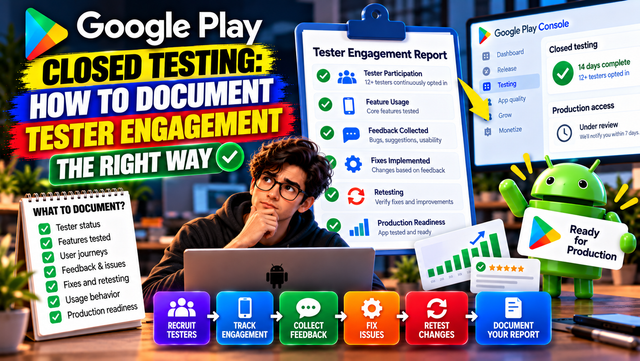
Learn how to document tester engagement during Google Play Closed Testing, track feedback, record fixes, and prepare stronger Production Access answers.
Completing Google Play Closed Testing is not simply about reaching 12 testers and waiting for 14 days to pass.
For many personal developer accounts created after November 13, 2023, Google requires at least 12 testers to remain continuously opted in for 14 consecutive days before the developer can request Production Access. However, completing those numbers does not automatically mean the app will be approved for production.
Google also wants to understand whether your app was genuinely tested, whether testers interacted with the app, what you learned from the testing process, and what improvements you made before applying for production access.
That is why documenting tester engagement can make your Production Access application much easier to prepare.
What Does Tester Engagement Actually Mean?
Tester engagement means more than simply having testers listed in your Closed Testing track.
A tester can be opted in without meaningfully testing the app. For example, someone might install the app once and never use it again.
Google's official guidance focuses on tester engagement, including whether testers used the available features and whether their usage reflected how the app is expected to behave in production.
This does not mean Google has published a hard requirement that every tester must open the app every single day. Instead, the quality and relevance of the testing matter.
Your goal should therefore be:
Test → Collect Feedback → Fix Problems → Retest → Improve → Prepare for Production
12 Testers Are a Starting Point, Not the Whole Strategy
The minimum requirement can create a misleading mindset.
Developers sometimes think:
"I have 12 testers, so I'm done."
Not quite.
Those 12 people should actually have an opportunity to experience your app and provide useful observations. Google can ask for additional testing if tester engagement is insufficient or if fewer than the required number of testers remain opted in.
A stronger testing campaign focuses on:
Tester participation
Core feature usage
Important user journeys
Bugs and crashes
Usability problems
Tester feedback
Fixes made during testing
Retesting after fixes
Overall production readiness
What Should You Document During the 14 Days?
You do not need to create a giant spreadsheet containing the life story of every tester. Humanity has suffered enough spreadsheets.
Instead, maintain a simple testing record.
1. Tester Status
Track whether your testers remain opted in.
Useful information includes:
Number of testers invited
Number of testers opted in
Date testing started
Tester drop-offs
Replacement testers, if applicable
Current testing day
The most important point is maintaining the required number of continuously opted-in testers for the required period.
2. Features Tested
Keep a record of the important features your testers explored.
For example:
Feature
Tested?
Issues Found
Action Taken
Sign-up
Yes
Minor validation issue
Fixed
Login
Yes
No issue
No change
Dashboard
Yes
Slow loading
Optimized
Search
Yes
Incorrect results
Fixed
Notifications
Yes
Delayed notification
Investigated
This gives you something concrete to refer to when explaining what happened during your testing campaign.
3. Core User Journey
Think about what a normal user would actually do inside your app.
For example:
Install → Sign up → Complete onboarding → Use main feature → Save information → Return to app → Use another feature
Ask testers to follow this journey naturally.
If the app is an e-commerce application, testers might browse products, search, add products to a cart, complete checkout, and review order information.
If it is a productivity app, they might create an account, create a task, edit it, complete it, and check notifications.
The objective is to understand whether the app works as intended from the user's perspective.
4. Collect Useful Feedback
Google's Production Access process asks developers about tester feedback and how that feedback influenced the app.
Avoid collecting feedback such as:
"Nice app."
That may be emotionally encouraging, but it is not particularly useful for improving software.
Instead, encourage testers to report:
Bugs
Crashes
Confusing screens
Navigation problems
Slow loading
Missing functionality
Login issues
Device-specific problems
UI inconsistencies
Unexpected behavior
You should also provide testers with a clear method for submitting feedback.
5. Document the Fixes You Make
One of the strongest ways to demonstrate that your testing was meaningful is to connect feedback with action.
For example:
Tester feedback: Search results sometimes displayed irrelevant products.
Developer action: Updated the search filtering logic.
Retest: Asked testers to repeat multiple search scenarios.
Result: Search results became more accurate.
This creates a clear testing story:
Feedback → Fix → Retest → Result
That is much stronger than simply saying, "Our testers liked the app."
6. Track Retesting
When you fix an important problem, test it again.
Suppose testers discover that the app crashes when uploading an image.
You fix the crash.
Do not immediately declare victory.
Ask testers to repeat the same action and verify that the problem has actually been resolved.
You can document it like this:
Issue
Fix
Retested
Result
Image upload crash
Updated upload handling
Yes
Resolved
Slow dashboard
Improved API calls
Yes
Improved
Login error
Fixed authentication flow
Yes
Resolved
This gives you a simple record of how testing influenced development.
7. Test Under Different Conditions
Real users do not all have identical phones, networks, or usage patterns.
Where practical, test your app under different conditions such as:
Wi-Fi
Mobile data
Different Android versions
Different screen sizes
Different device manufacturers
Slow network conditions
Fresh installations
Returning users
The goal is not to manufacture artificial testing data. It is to discover problems that may not appear on your development device.
Create a Simple Tester Engagement Dashboard
You do not need expensive software.
A basic spreadsheet can be enough.
Track:
Category
What to Record
Testers
Opted-in tester count
Duration
Testing day
Features
Features tested
Feedback
Important tester observations
Bugs
Problems discovered
Fixes
Changes made
Retesting
Whether fixes were verified
Stability
Crashes and major issues
Readiness
Final production checks
This information can make it much easier to answer Google's Production Access questions honestly and specifically.
How to Use This Information in the Production Access Questionnaire
Google's Production Access application asks about your closed test, your app, and your production readiness. It also asks about tester recruitment, engagement, feedback, and changes made based on testing.
Instead of writing vague answers, use your testing records.
For example:
Weak answer:
"Our testers tested the app and everything was good."
Stronger answer:
"We recruited testers who represented our intended user group and asked them to test the primary user journey and key application features. During testing, we identified issues related to search results and image uploads. We fixed these issues and asked testers to repeat the affected workflows to verify the changes. We also reviewed app stability and usability before requesting production access."
The second answer explains what actually happened.
What If Some Testers Become Inactive?
Tester drop-off can happen.
Someone may forget to test the app, lose interest, uninstall it, or stop responding.
Do not ignore the problem.
Keep monitoring your tester status and make sure you continue meeting Google's requirements.
If your testing campaign is struggling to maintain reliable participation, a managed testing platform can simplify the process.
inTesters – Google Play Testing Platform
inTesters provides testing options built around Google Play's closed-testing workflow, including real testers and physical Android devices. Its professional testing option is designed to help developers manage the testing process with tester participation, testing progress, feedback, and reporting. These are inTesters' own service offerings, not Google requirements.
You can also explore its testing workflow if you want a more structured way to manage your campaign:
Explore inTesters Testing Options
A Practical 14-Day Engagement Plan
Days 1–2: Setup and First Test
Confirm testers are properly opted in.
Verify installation.
Test login and onboarding.
Check the primary user journey.
Record initial issues.
Days 3–5: Feature Testing
Test important features.
Check different user flows.
Collect tester feedback.
Identify usability problems.
Record crashes and errors.
Days 6–8: Bug Fixing
Prioritize important issues.
Release fixes when necessary.
Ask testers to verify affected features.
Document what changed.
Days 9–11: Broader Testing
Test additional features.
Check different devices and network conditions.
Review app stability.
Look for issues that appeared after updates.
Days 12–14: Production Readiness
Review tester feedback.
Confirm important issues are resolved.
Review app stability.
Check your Play Console configuration.
Prepare honest answers for the Production Access questionnaire.
Continue testing while preparing your application.
Don't Confuse Testing Activity With Fake Engagement
The purpose of Closed Testing is to learn whether your app is ready for real users.
Do not try to manufacture engagement simply to make your dashboard look busy.
Instead, focus on genuine testing:
Real testers
Real devices
Real workflows
Genuine feedback
Actual bug fixes
Retesting
Evidence of improvement
The better your testing process, the easier it becomes to explain what happened during the 14-day period.
Final Google Play Closed Testing Checklist
Before requesting Production Access, review the following:
Required number of testers is continuously opted in.
Required testing period has been completed.
Testers have been given clear testing instructions.
Important app features have been tested.
Core user journeys have been tested.
Tester feedback has been collected.
Important bugs have been documented.
Major issues have been fixed where appropriate.
Fixes have been retested.
App stability has been reviewed.
Production readiness has been evaluated.
Production Access answers are specific and honest.
Play Console policy and app-content requirements have been reviewed.
If you need help organizing a managed testing campaign, you can also review inTesters' professional testing service and compare it with your own tester recruitment approach.
Frequently Asked Questions
1.Is having 12 testers enough for Production Access?
Twelve continuously opted-in testers for 14 consecutive days is the published eligibility requirement for affected personal developer accounts, but completing the requirement does not guarantee Production Access. Google may require additional testing depending on its review.
2.Does every tester need to open the app every day?
Google's official documentation does not state that every tester must open the app every day as a hard requirement. However, tester engagement matters, so testers should genuinely use and evaluate the app during the testing period.
3.Do testers need to leave public reviews?
Public Play Store reviews are not the focus of the Production Access requirement. What matters is meaningful testing and the feedback you collect from your testing process.
4.What should I do if Google asks for more testing?
Continue the Closed Testing campaign, maintain the required tester participation, improve the app based on feedback, and address the areas identified during Google's review.
5.Can a testing service guarantee Production Access?
No service can replace Google's review decision. A testing provider can help organize testers, testing activity, feedback, and documentation, but Production Access remains Google's decision.
Conclusion
Google Play Closed Testing should not be treated as a 14-day countdown where your only responsibility is watching the calendar.
The strongest approach is to treat it as a genuine beta-testing cycle.
Recruit the right testers, guide them toward meaningful app usage, collect useful feedback, fix important problems, retest those fixes, and document what you learned.
When the time comes to request Production Access, you will have something much more valuable than a completed timer: a clear record showing how testing helped prepare your app for real users.
For developers who need help organizing testers and managing the testing process, inTesters offers structured Android app testing options designed around Google Play's Closed Testing workflow.
About the Author

Saksham Goyal
Expert software tester and contributor to the community. Passionate about AI, automation, and user experience.