
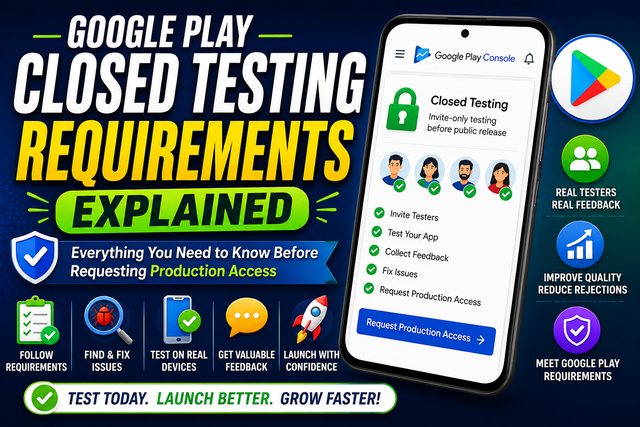
Google Play Closed Testing is an important step before publishing your Android app. Learn the key requirements, set up your testing track, invite real testers, collect feedback, and complete the process with confidence before requesting production access.
Introduction
If you're getting ready to publish your Android app on the Google Play Store, you've probably heard about Google Play Closed Testing. For many new developers, this step can be confusing because they're unsure why it's required or what they need to do before requesting production access.
Many developers spend weeks building an app, only to discover that publishing isn't as simple as uploading an Android App Bundle. Google wants to make sure new apps have been tested by real users before they become available to everyone.
The purpose of Closed Testing isn't to make publishing harder. Instead, it's designed to improve app quality, reduce bugs, and help developers create a better experience for users.
In this guide, we'll explain the Google Play Closed Testing requirements, why they matter, and how you can complete the process successfully.
What Is Google Play Closed Testing?
Google Play Closed Testing is a private testing phase that allows selected users to install and test your app before it is released publicly.
Unlike an Open Test, anyone cannot join a Closed Test. Only people you invite can access your app using a testing link provided through Google Play Console.
During this phase, testers use your app like regular users. They explore different features, report bugs, share suggestions, and help you identify problems before your public launch.
Think of Closed Testing as your final quality check before your app reaches thousands of users.
Why Does Google Require Closed Testing?
Google wants to improve the overall quality of apps available on the Play Store.
Instead of allowing unfinished apps to reach users, Google encourages developers to test their apps first. This helps reduce crashes, improve security, and provide a better user experience.
Closed Testing benefits both developers and users.
For developers, it provides valuable feedback before launch.
For users, it means downloading apps that are more stable and reliable.
Rather than seeing Closed Testing as an obstacle, consider it an opportunity to improve your app before release.
Who Needs to Complete Google Play Closed Testing?
Whether you need Closed Testing depends on your developer account and Google's current publishing requirements.
Many new individual developer accounts are required to complete a Closed Testing phase before requesting production access.
If your account requires it, Google Play Console will guide you through the testing process before allowing you to publish your app publicly.
Always check the latest requirements inside your Google Play Console because policies may change over time.
Requirement 1: Prepare a Stable Version of Your App
Before inviting testers, make sure your app is working properly.
Testing should focus on improving your app—not discovering basic issues that should have been fixed during development.
Check important features such as:
User registration
Login
Navigation
Notifications
Forms
Payments (if available)
Settings
Overall app performance
A stable app helps testers spend more time providing useful feedback instead of reporting obvious bugs.
Requirement 2: Set Up a Closed Testing Track in Google Play Console
Google Play Console allows developers to create different testing tracks.
For Closed Testing, you'll create a private testing track where only invited users can access your app.
During setup, you'll:
Create a Closed Testing release.
Upload your Android App Bundle.
Add testers using approved methods.
Publish the testing release.
After Google reviews the release, invited testers can install your app from Google Play.
Setting up the testing track correctly is an important part of the process.
Requirement 3: Invite Real Testers
One of the most important requirements is having real people test your app.
Your testers should:
Install the app through Google Play.
Explore different features.
Use the app naturally.
Share honest feedback.
Report bugs or crashes.
Active testers provide much more value than people who simply install the app and never open it again.
Meaningful testing helps you improve your app before launch.
Requirement 4: Collect and Review Feedback
Testing isn't only about asking people to install your app.
Encourage testers to share:
Bugs they discover
Performance problems
Design suggestions
Navigation issues
Missing features
General user experience
Review every piece of feedback carefully.
If several testers mention the same issue, it's usually a sign that the problem should be fixed before requesting production access.
Requirement 5: Fix Problems Before Moving Forward
The purpose of Closed Testing is improvement.
After collecting feedback, spend time fixing:
Crashes
Slow performance
User interface issues
Broken features
Compatibility problems
Security concerns
Every improvement increases your app's quality and helps create a better experience for future users.
Requirement 6: Complete Your Google Play Console Information
Closed Testing is only one part of publishing your Android app.
Before requesting production access, make sure your Play Console account is complete.
Review important sections such as:
Data Safety
Content Rating
App Category
Privacy Policy
Target Audience
Advertising Declaration
App Access
Permission Declarations
Incomplete information can delay your app's approval even if testing has been completed successfully.
Requirement 7: Test Your App on Different Android Devices
Android devices vary greatly.
A feature that works perfectly on one phone may not work properly on another.
If possible, test your app on different:
Android versions
Screen sizes
Device manufacturers
Performance levels
Testing across multiple devices helps identify compatibility issues before users experience them.
Requirement 8: Follow Google Play Policies
Your app must comply with all Google Play Developer Policies.
Pay attention to:
User privacy
Data collection
App permissions
Copyright rules
Restricted content
Security requirements
Following these policies reduces the chances of rejection during review.
Common Mistakes Developers Make During Closed Testing
Many developers experience delays because of avoidable mistakes.
Some of the most common include:
Treating Testing Like a Formality
Closed Testing is designed to improve your app, not simply complete a requirement.
Ignoring Tester Feedback
If users report the same issue multiple times, don't ignore it.
Use their feedback to make meaningful improvements.
Publishing an Unfinished App
Testers should receive a stable version of your app.
Sending unfinished builds often results in poor feedback.
Forgetting Play Console Forms
Many developers focus only on testing and forget to complete important policy forms.
Always review your Play Console before requesting production access.
Testing on Only One Device
An app that works on one phone may fail on another.
Testing on multiple devices helps you discover compatibility problems early.
Best Practices for Completing Google Play Closed Testing Successfully
To improve your chances of a smooth publishing process:
Prepare a stable version of your app.
Invite active and reliable testers.
Encourage honest feedback.
Fix reported issues promptly.
Test on multiple Android devices.
Complete every Play Console requirement.
Follow Google Play Developer Policies.
Review everything before requesting production access.
These simple practices help you publish a higher-quality app with fewer surprises.
Frequently Asked Questions
1. What is Google Play Closed Testing?
Google Play Closed Testing is a private testing phase where invited users test your Android app before it becomes publicly available on the Google Play Store.
2. Why is Closed Testing required?
Google uses Closed Testing to encourage developers to improve app quality, fix bugs, and provide a better experience before requesting production access.
3. Can anyone join a Closed Test?
No. Only users invited by the developer can access a Closed Testing release.
4. Do I need to fix every reported bug?
You should address important issues that affect app stability, usability, or security before requesting production access.
5. Is Closed Testing the final step before publishing?
Not always. After testing, you should also complete your Play Console information, review Google Play policies, and make sure your app is fully ready for public release.
My Thoughts
Google Play Closed Testing isn't just another requirement to complete before publishing your app. It's an opportunity to make your app stronger, more reliable, and more enjoyable for your future users.
Instead of rushing through the process, use the testing period to gather valuable feedback, fix important issues, and improve the overall experience. The more effort you put into testing today, the smoother your launch is likely to be tomorrow.
Remember, successful apps aren't created by accident—they're improved through careful testing, thoughtful updates, and continuous learning.
Call to Act
Ready to complete Google Play Closed Testing? Start preparing your app today, invite reliable testers, gather meaningful feedback, and make every improvement before requesting production access.
Follow our blog for more Google Play Console guides, Android app publishing tutorials, Closed Testing tips, and practical advice to help you launch successful Android apps with confidence.
Simplify Your Google Play Closed Testing with Professional Test Management
Managing a successful closed testing campaign can be time-consuming, especially when you're trying to recruit reliable testers and keep them engaged throughout the required testing period. A managed testing service like InTesters.com helps streamline this process by coordinating your testing from start to finish.
Instead of searching for testers on your own, you gain access to a network of real Android users testing on a variety of physical devices. Testers install your app through Google Play, explore its core features, complete common user actions, and provide valuable feedback that can help you identify bugs, usability issues, and device compatibility problems.
A structured testing process also makes it easier to track participation, monitor testing progress, and collect meaningful insights before applying for production access. With organized testing records and real user feedback, you'll be better prepared to answer Google's production access questions and submit your app with greater confidence.
Whether you're publishing your first Android app or managing multiple releases, InTesters.com provides a simple, organized way to handle Google Play Closed Testing so you can spend more time building your app and less time managing testers.
While no service can guarantee approval from Google Play, professional test management helps reduce common testing challenges and allows you to focus on improving your app instead of managing the testing process.
About the Author

Saksham Goyal
Expert software tester and contributor to the community. Passionate about AI, automation, and user experience.