
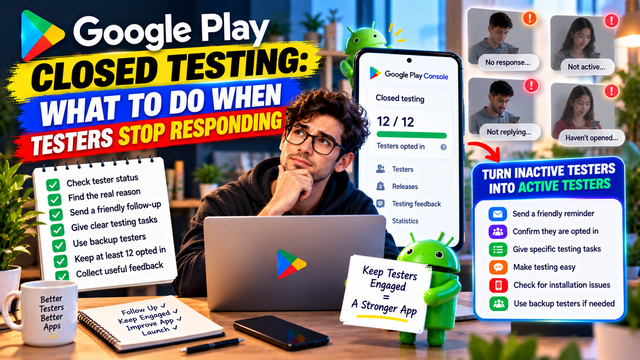
Testers stopped responding during Google Play Closed Testing? Learn how to handle inactive testers, protect your testing timeline, maintain tester engagement, and prepare for Production Access.
You recruited your testers.
You shared the closed-testing link.
Everyone joined.
Day 1 looked promising.
Then, slowly, the messages stopped.
One tester hasn't opened the app. Another isn't replying. Someone else says they'll test it "tomorrow." And suddenly you're staring at your tester list wondering whether everyone has collectively decided to become a professional ghost.
If testers stop responding during Google Play Closed Testing, don't panic.
The important thing is to understand what has actually happened, check your tester status, communicate clearly, and make sure your testing campaign still meets Google's requirements.
For personal developer accounts created after November 13, 2023, Google requires at least 12 testers to remain continuously opted in to the closed test for at least 14 days before applying for Production Access. Google also evaluates tester engagement and asks developers about how testers used the app and what was learned during testing.
1. First, Find Out What "Not Responding" Actually Means
A tester not replying to your WhatsApp message doesn't necessarily mean they have left your test.
There are several different situations:
They are still opted in but haven't replied to you.
They installed the app but haven't used it recently.
They haven't completed the opt-in process.
They are using a different Google account.
They cannot access the testing version.
They stopped participating.
They accidentally opted out.
They are experiencing an installation or access problem.
These situations require different responses.
So don't immediately remove everyone who doesn't answer your message.
Check the testing status first.
2. Check Your Tester Count in Play Console
Your first step should be to open your Closed Testing track in Play Console and review the tester information.
Google's official documentation says developers can manage closed-test testers through email lists or Google Groups. The testing setup also provides a shareable link that you can give to eligible testers.
Your immediate goal is to answer:
Do I still have at least 12 eligible testers continuously opted in?
If yes, don't create unnecessary chaos.
If you're below 12, you need to act quickly.
3. Don't Confuse an Email List With an Opted-In Tester
This is one of the most important distinctions.
Adding someone's email address to your tester list doesn't automatically mean the person has successfully opted into the test.
For a closed test, Google provides an opt-in process. Testers need to follow the appropriate testing link and opt in using their Google Account. When Google Groups are used, users must join the group before opting into the test.
Your process should therefore be:
Added to tester list → Receives instructions → Opens opt-in link → Opts in → Accesses test → Participates
Don't assume step one means all six steps happened.
4. Send a Simple Follow-Up Message
When testers become quiet, don't send a giant paragraph explaining the history of Android app publishing since 2008.
Keep it simple.
Tell them:
The test is still running.
They should remain opted in.
Which features you want them to test.
Where to send feedback.
How long the testing period lasts.
For example:
Hi! Just a quick reminder that our Google Play Closed Test is still running. Please remain opted in and spend some time exploring the app's main features. If you notice any bugs, confusing screens, or unexpected behavior, please share your feedback here. Thank you for helping us improve the app before launch!
Google recommends providing testers with clear instructions, specifying the type of feedback you want, encouraging them to use as many features as possible, and providing a clear feedback channel.
5. Give Testers Specific Things to Test
"Please test the app" is vague.
Testers may open the home screen, look around for 30 seconds, and decide they have completed their contribution to civilization.
Instead, give them specific tasks.
For example:
Task 1: Account Setup
Create an account
Complete onboarding
Check profile settings
Try logging out and back in
Task 2: Main Feature
Complete the primary workflow
Try different inputs
Test normal and unusual scenarios
Task 3: Secondary Features
Explore additional features
Check navigation
Test settings
Verify notifications where relevant
Task 4: Feedback
Ask:
What worked?
What didn't work?
What was confusing?
What felt slow?
What would you improve?
Specific instructions make it easier for testers to provide useful information.
6. Don't Demand "Daily Opens" as if It Were an Official Rule
This distinction matters.
Google's official documentation states that the 12 testers must remain continuously opted in for at least 14 days and that developers should focus on tester engagement, feature usage, and feedback. It does not state that every tester must open the app every single day as a specific hard requirement.
So avoid telling testers:
"Google requires you to open the app every day."
That's stronger than what the official documentation says.
Instead, tell them:
"Please actively use the app during the testing period and explore the features we've asked you to test."
That is accurate and much more useful.
7. Separate Communication Problems From Testing Problems
Sometimes your tester isn't replying because they don't check the messaging platform you used.
Try the communication channel they originally agreed to use.
For example:
Email
WhatsApp
Telegram
Slack
Discord
A feedback form
The exact channel isn't the important part.
Reliable communication is.
Google itself recommends providing a clear feedback channel, which can include email, a website, a messaging forum, or private feedback through Google Play.
8. Ask Testers to Confirm Their Status
If you're unsure whether someone successfully joined the test, ask them to verify it.
Have them confirm:
They used the correct Google Account.
They opened the correct testing link.
They successfully opted in.
They can access the testing version.
They have the app installed.
They can receive updates.
This can uncover simple problems that look like tester inactivity.
For example, someone may tell you:
"I've been testing the app."
Only to discover that they installed a different account's version.
Humans and account management remain a surprisingly dangerous combination.
9. What If a Tester Completely Disappears?
If you've followed up and a tester genuinely stops participating, don't spend the entire 14-day period trying to resurrect them.
If you have additional testers, use your buffer.
This is one reason recruiting slightly more than the minimum can be practical.
For example:
Recruit 15–20 → Maintain at least 12 eligible testers.
The additional testers aren't an extra Google requirement. They're simply a safety margin for your own testing process.
10. Don't Constantly Replace Testers Without Understanding the Timing
Be careful when changing your tester group during the testing period.
The official requirement is based on having at least 12 testers continuously opted in for the preceding 14 days when you apply for Production Access.
That means you shouldn't casually remove testers and replace them without considering how the change affects your testing status.
Before making major changes, check the current status shown in your Play Console.
The goal is stability.
Keep a reliable tester group together for the required period whenever possible.
11. What If You Drop Below 12 Testers?
This is where you need to pay attention.
If your testing group falls below the required number of continuously opted-in testers, don't assume you can simply reach Day 14 and apply anyway.
Google's published requirement is at least 12 testers continuously opted in for the preceding 14 days.
If your tester situation changes significantly, review the current Play Console status and make sure you understand what period Google is counting before applying.
Don't build your launch schedule around assumptions.
12. Recruit Backup Testers Before You Need Them
The best time to find replacement testers is before you have a problem.
Build a small backup pool.
For example:
Primary group
12–15 testers
Backup group
3–5 potential testers
Your backup testers don't need to be randomly added on Day 13 and treated as magical emergency replacements.
Instead, have people available who understand your testing process and can participate properly if your active group becomes too small.
13. Keep Tester Instructions Ready
Create a reusable tester message before starting your campaign.
It should contain:
App name
Testing link
What to test
Important features
Feedback channel
Expected testing period
Instructions for reporting bugs
This saves time when testers need reminders.
It also makes your testing process look organized rather than improvised five minutes before bedtime.
14. Create a Tester Activity Tracker
A simple spreadsheet can help you understand what's happening.
Tester
Opted In
Installed
Core Features Tested
Feedback
Follow-Up
Tester 1
✓
✓
✓
✓
Complete
Tester 2
✓
✓
✓
—
Reminder sent
Tester 3
✓
✓
—
—
Contact tester
Tester 4
✓
✓
✓
✓
Complete
You don't need to track every microscopic action.
The purpose is to understand:
Who is participating?
Who needs a reminder?
Which features have been tested?
What feedback has been received?
Which problems still need attention?
15. Track Feedback, Not Just Attendance
A tester who says:
"Everything good."
doesn't give you much to work with.
A tester who says:
"The signup screen works, but the Continue button doesn't respond after switching from Wi-Fi to mobile data."
has given you something actionable.
Google's Production Access process asks developers about tester engagement, feature usage, feedback, and what they learned from the test.
So your records should focus on useful testing evidence rather than simply collecting checkmarks.
16. Use Google Play's Testing Feedback
Google provides a dedicated Testing feedback area in Play Console.
You can access testing feedback under:
Monitor and improve → Ratings and reviews → Testing feedback
Google says developers can filter testing feedback by factors such as:
Date
Language
Reply status
App version
Device type
You can also search feedback for specific keywords.
This can help you identify recurring issues.
For example:
If five testers independently mention that the onboarding process is confusing, that's a signal worth investigating.
17. Turn Tester Complaints Into Improvements
Don't collect feedback simply to have something to write in the Production Access questionnaire.
Use it.
A useful workflow is:
Feedback → Investigate → Fix → Retest → Record
For example:
Tester feedback
"Notifications arrive several minutes late."
Investigation
Test notification delivery under different conditions.
Fix
Improve notification handling.
Retest
Ask testers to verify the change.
Record
Document what changed and what you learned.
This creates a meaningful testing story.
18. Keep Testing While You Fix Problems
If testers discover significant issues, don't immediately treat the 14-day period as the finish line.
Keep testing while you resolve problems.
Google describes closed testing as a way to fix issues and ensure the app complies with Google Play policies before launch.
The goal isn't:
"14 days completed. Escape!"
The goal is:
"The app has been tested, important problems have been addressed, and we understand what we learned."
19. What If Testers Stop Responding but Remain Opted In?
This is a subtle situation.
A tester may not answer your messages but may still remain opted in.
Don't automatically assume they have left the test.
Check the information available in Play Console and distinguish between:
Opt-in status
and
Engagement
They are not exactly the same thing.
Google's guidance specifically discusses both continuous opt-in and tester engagement.
This is why simply maintaining a list of 12 email addresses isn't a complete testing strategy.
20. What If Almost Everyone Becomes Inactive?
If your tester group is largely inactive, stop and evaluate your recruitment strategy.
Ask:
Did I choose the right people?
Did I explain what they needed to do?
Was the testing process too complicated?
Did I give them specific tasks?
Was the feedback channel convenient?
Did I communicate clearly?
Do these testers actually resemble my target audience?
Sometimes the problem isn't the testers.
It's the testing process.
21. Don't Manufacture Fake Engagement
This is worth saying clearly.
Don't create fake feedback.
Don't ask testers to pretend they used features they didn't use.
Don't fabricate bugs.
Don't create artificial activity logs.
Don't write fictional feedback summaries.
Your Production Access application should accurately describe what happened during your test.
Google uses the application questions to understand your testing process, app, and production readiness.
Real testing produces real information.
And real information is considerably more useful than a spreadsheet full of suspiciously enthusiastic "Everything works perfectly!" comments.
22. What Should You Do During the Final Days?
If you're approaching Day 14 and some testers have become quiet, focus on stability.
Check:
Tester count
Continuous opt-in status
Core feature coverage
Important bugs
Feedback
Recent fixes
Retesting
Production readiness
Don't introduce unnecessary changes simply to create activity.
Focus on the issues that actually matter.
23. Prepare for the Production Access Questions
After meeting the testing criteria, eligible developers can apply for Production Access through the Play Console Dashboard.
Google's application has three sections:
About your closed test
About your app/game
About your production readiness
The closed-test section asks about areas such as tester recruitment, tester engagement, feature usage, expected production behavior, and feedback.
If your testers have been disappearing throughout the test, you'll want to make sure your answers accurately reflect what happened.
Don't wait until the application opens to remember everything.
Record it during testing.
A Simple Recovery Plan When Testers Stop Responding
If you're dealing with tester drop-off, follow this sequence:
Step 1: Check Play Console
Confirm your current tester status.
Step 2: Contact inactive testers
Send a short, clear reminder.
Step 3: Confirm opt-in
Ask testers to verify they joined the correct test with the correct Google Account.
Step 4: Give specific tasks
Tell them exactly what to test.
Step 5: Check your tester count
Make sure you still have the required number continuously opted in.
Step 6: Use your backup testers
If your recruitment pool includes additional people, use them appropriately.
Step 7: Document feedback
Record meaningful issues and tester observations.
Step 8: Fix important problems
Don't ignore recurring problems.
Step 9: Retest fixes
Ask testers to verify important changes.
Step 10: Review production readiness
Before applying, make sure you can clearly explain what you learned and what you changed.
A 14-Day Tester Engagement Plan
Here's a simple structure you can use.
Period
Tester Focus
Day 1–2
Installation, onboarding, account setup
Day 3–5
Core features
Day 6–8
Secondary features and real-world scenarios
Day 9–11
Bug discovery and usability
Day 12–13
Retesting fixes
Day 14
Final feedback and production-readiness review
This is your testing plan, not an official Google schedule.
Google's official guidance focuses on continuous opt-in, clear instructions, tester engagement, feature usage, and useful feedback rather than prescribing a day-by-day testing calendar.
Quick Checklist When Testers Go Silent
Check current tester status
Confirm at least 12 eligible testers remain continuously opted in
Identify genuinely inactive testers
Send a concise reminder
Confirm the correct Google Account
Confirm the tester can access the closed test
Share specific testing tasks
Provide a clear feedback channel
Keep backup testers available
Record useful feedback
Investigate recurring issues
Fix important bugs
Retest important fixes
Keep documentation for Production Access
Don't fabricate engagement or feedback
FAQs
1.What should I do if my Google Play testers stop responding?
First, check whether they are still opted in. Then contact them with clear testing instructions and ask them to verify their access and continue testing. If your tester pool is falling below the required level, address the issue before applying for Production Access.
2.Does a tester have to reply to my messages every day?
No. Google does not state that testers must reply to a developer's messages every day. Its guidance focuses on continuous opt-in, tester engagement, feature usage, and feedback.
3.Do testers have to open my app every day?
Google's official documentation does not specify daily app openings as a hard requirement. It does emphasize tester engagement and encourages testers to use as many features as possible.
4.What happens if I fall below 12 testers?
The official requirement for eligible personal developer accounts is at least 12 testers continuously opted in for the preceding 14 days when applying for Production Access. If your tester count drops below that threshold, review your Play Console status and make sure you still satisfy the requirement before applying.
5.Should I recruit more than 12 testers?
Recruiting more than 12 can be a practical strategy because it gives you a buffer against drop-off. However, numbers above 12 are not additional Google requirements.
6.Can I replace an inactive tester?
You can manage the testers in your closed-test track, but changes to the tester group can affect which testers have accumulated the required continuous opt-in period. Avoid unnecessary changes and monitor the testing status in Play Console.
7.How can I get better feedback from testers?
Give testers specific tasks, explain what you want them to look for, and provide an easy feedback channel. Google explicitly recommends clear testing instructions, feedback expectations, broad feature usage, and a clear feedback channel.
8.Can I use Google Groups to manage testers?
Yes. Google supports Google Groups for closed testing. Only members of the specified groups can join that test, and users must join the group before opting in.
9.Should I end the Closed Test after 14 days?
Completing 14 days does not mean you should stop testing immediately. If you still have important bugs or unresolved issues, continuing to test can help you improve the app and prepare stronger Production Access information.
Conclusion
Testers going silent is frustrating, but it doesn't automatically mean your Google Play Closed Test has failed.
Start by checking the facts:
Are they still opted in?
Do you still have at least 12 eligible testers?
Are they actually engaging with the app?
Are you collecting useful feedback?
Then act accordingly.
Send clear reminders. Give testers specific tasks. Confirm their opt-in status. Maintain a backup pool. Track meaningful feedback. Fix important issues and retest them.
Most importantly, don't reduce your Closed Test to a numbers game.
12 testers for 14 days is a requirement for eligible personal accounts. Genuine testing and useful learning are what make the exercise valuable.
Your objective isn't to keep 12 names alive in a spreadsheet.
It's to use real users to discover what breaks, what confuses people, what works well, and what needs improvement before your app reaches the wider Google Play audience.
That's what a Closed Test is actually for.
About the Author

Saksham Goyal
Expert software tester and contributor to the community. Passionate about AI, automation, and user experience.