
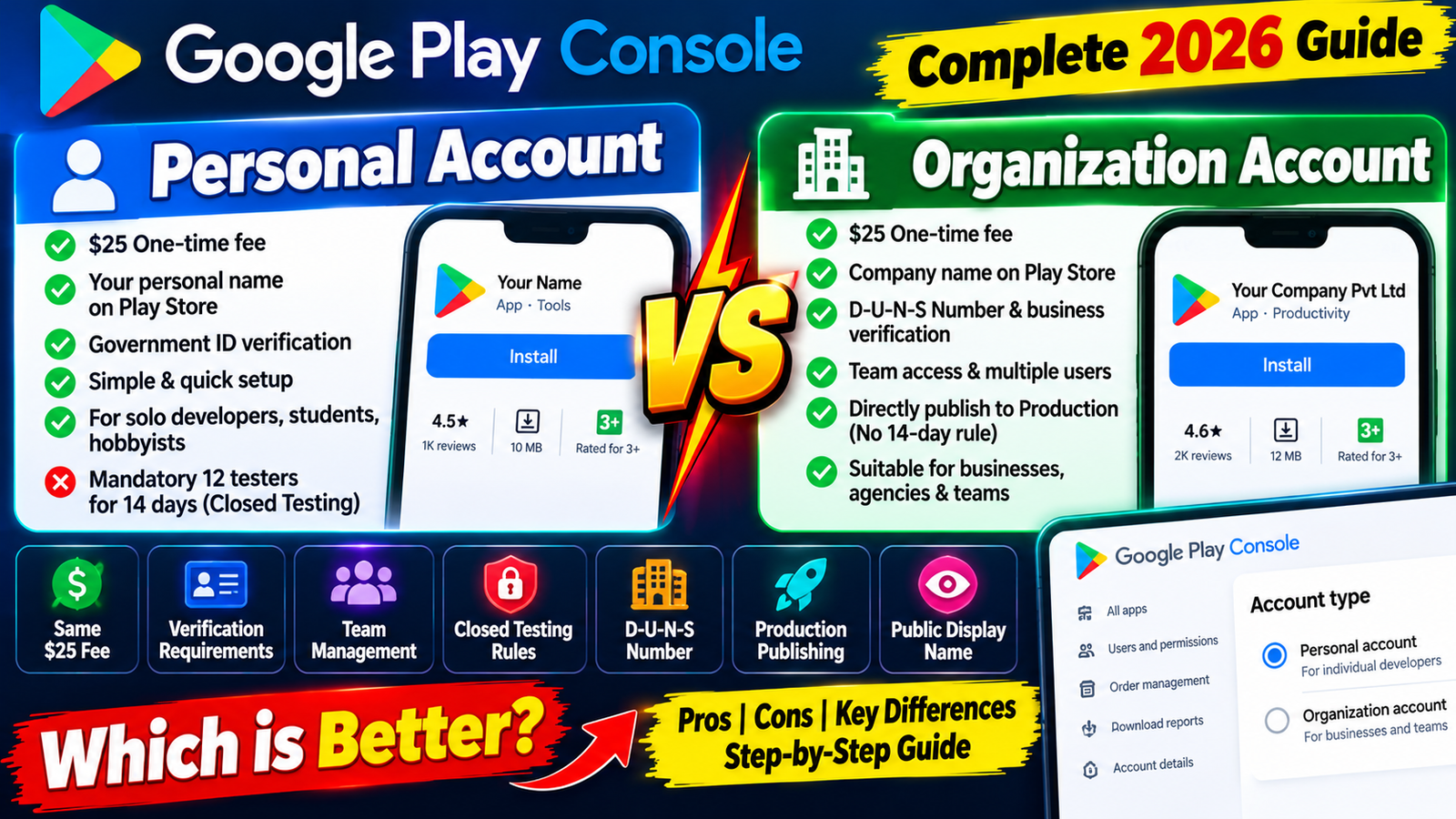
Choosing between a Personal and Organization Google Play Developer account depends on your business structure and launch timeline. If you have a registered company and a D-U-N-S number, an Organization account offers a professional brand profile and bypasses closed testing. If you are a solo developer without corporate paperwork, a Personal account provides a low entry barrier—just manage your mandatory closed testing track professionally to ensure a smooth transition to public release.
When setting up a Google Play Developer account, one of the earliest decisions you face is selecting your account type: Personal Account or Organization Account.
While both account types require the same $25 one-time registration fee and grant access to the Play Console dashboard, choosing the wrong one can lock your publishing workflow, delay launch timelines, or force you through identity verification hurdles.
Google's strict verification policies—specifically around mandatory D-U-N-S business numbers and closed testing rules—make choosing the right account type critical.
This detailed comparison breaks down the key differences between Personal and Organization accounts, explores verification requirements, explains the mandatory closed testing bottleneck, and helps you choose the option that aligns with your development goals.
The Biggest Technical Difference: The Closed Testing Exemption
The single most significant operational difference between a Personal Account and an Organization Account comes down to public publishing access.
Personal Accounts (14-Day Mandatory Quality Gate)
If you register a personal developer account, Google will not allow you to publish directly to Production. You must run a mandatory Closed Testing track with a minimum of 12 verified testers who must remain continuously opted-in for at least 14 consecutive days. Only after fulfilling this telemetry period can you apply for Production access.
Organization Accounts (Direct Production Bypass)
Organization accounts representing verified businesses are exempt from the mandatory 12-tester / 14-day closed testing requirement. Once your corporate identity and business profile are verified by Google, you can publish applications straight to the public Play Store without waiting out a mandatory 14-day test track.
Key Differences at a Glance
1. Identity & Public Privacy Displays
Personal Accounts: Display the individual owner's legal name and personal contact details on the public Google Play Store listing. If privacy is a priority, keep in mind that personal developer profiles show the individual's name to all store visitors.
Organization Accounts: Display your registered legal business entity name (e.g., Acme Software LLC) on the Play Store. This creates a professional brand presentation for commercial products.
2. Verification Requirements
Personal Accounts: Requires a government-issued photo ID (Passport, Driver’s License, National ID) matching your registered legal name, along with a verified personal phone number and email address. Setup is fast, usually completing in just a few hours.
Organization Accounts: Requires an official D-U-N-S Number (Data Universal Numbering System) issued by Dun & Bradstreet, official corporate registration documents (LLC, Inc, Pvt Ltd), business bank details, and an authorized representative identity check. Business verification can take anywhere from a few days to several weeks.
3. Team Management & Account Delegation
Personal Accounts: Designed for single owners. You cannot delegate admin payments access safely across multiple corporate team members.
Organization Accounts: Built for team collaboration. Allows you to grant granular user access (Developer, Admin, Finance, QA) to team members without sharing primary account credentials.
Deep Dive: The D-U-N-S Number Requirement for Organizations
If you decide to register an Organization Account, your primary hurdle is obtaining a D-U-N-S Number.
Issued by Dun & Bradstreet, a D-U-N-S number is a unique nine-digit corporate identifier used by Google to verify that a business entity exists legally and operates at a physical address.
[Register Business Entity] ➔ [Apply for Free D-U-N-S Number] ➔ [Wait for D&B Database Sync] ➔ [Submit Play Console Verification]
The Address Mismatch Pitfall:
The most common reason Google rejects Organization account verifications is an address string mismatch.
The legal address on your Google Payments Profile, business registration papers, and Dun & Bradstreet profile must match character for character. If your D-U-N-S profile lists "Suite 100, Main St." and your Play Console profile says "Suite 100, Main Street", Google's automated verification scanners will flag the registration.
Note: Applying for a D-U-N-S number directly through Dun & Bradstreet is completely free for business owners, though processing can take up to 30 days. Plan your timeline accordingly before attempting console setup.
How to Choose: Decision Framework
                  ┌─────────────────────────────────────────┐
                  │   Selecting Your Play Console Account   │
                  └────────────────────┬────────────────────┘
                                       │
         ┌─────────────────────────────┴─────────────────────────────┐
         ▼                                                           ▼
┌─────────────────────────────────┐                         ┌─────────────────────────────────┐
│     Choose Personal Account     │                         │   Choose Organization Account   │
└────────────────┬────────────────┘                         └────────────────┬────────────────┘
                 ├─ Independent Developer or Student                         ├─ Legally Registered Company
                 ├─ Testing Prototypes & Side Projects                       ├─ Agency or White-Label Studio
                 ├─ No Registered Business Entity                            ├─ Require Team Access Delegation
                 └─ Comfortable with Closed Testing                          └─ Want Direct Production Access
Select a Personal Account if:
You are an independent programmer, student, hobbyist, or solo creator.
You do not own a legally registered business (LLC, Inc, Corp, LLP).
You want a simple, quick setup process without complex corporate paperwork.
You are prepared to run a 14-day closed testing track with 12+ real testers.
Select an Organization Account if:
You own an active, legally registered business entity.
You already possess (or can easily obtain) a free D-U-N-S number.
You want your legal company name displayed publicly on the Play Store.
You need to grant distinct dashboard permissions to employees or contractors.
You want to bypass the mandatory 12-tester / 14-day closed testing rule and launch directly.
What If You Choose Personal and Get Stuck in Closed Testing?
If you choose a Personal Account to skip business registration, you must pass Google's mandatory 14-day closed testing quality gate before reaching public production.
Many developers try to clear this step by relying on casual "install-swap" groups on social media. However, after waiting out 14 days, they frequently receive a rejection email stating: "Your app requires more testing before it can be pushed to production."
Why Casual Closed Testing Fails:
The Inactivity Trap: Swap partners download your app, launch it once for 3 seconds, and never open it again. Google evaluates session length, screen depth, and active interaction via Play Services. Shallow opens trigger an automatic rejection.
Mid-Cycle Uninstalls: If a tester uninstalls your app on Day 10, your active count drops below 12. Your 14-day continuous streak breaks, resetting the clock to Day 1.
Emulator Usage: Free swap pools often attempt to use desktop emulators. Google easily detects virtual device signatures, putting your account standing at risk.
The Solution: Deploy Professional Testing Services
If you select a Personal Account and want to guarantee passing the closed testing requirement on your first attempt, the safest approach is to use a managed professional closed testing platform like inTesters.
Instead of chasing unreliable contacts, an enterprise testing service provides:
Guaranteed 14-Day Track Stability: Assigns 20+ verified human testers across 16 continuous days, providing a safety buffer over Google's 12-tester minimum.
100% Real Physical Devices: Vetted testers use real physical Android smartphones (Samsung, Pixel, OnePlus, Xiaomi) spanning Android 11 through 15—never emulators.
Deep User Telemetry: Testers launch your app daily and interact with menus and forms for 2 to 3 minutes per session, generating the real engagement telemetry Google expects.
Questionnaire Support: Receive detailed QA reports, crash logs, and feedback summaries to help you answer Google's 10-question Production Access Questionnaire accurately.
Competitive Analysis: What Other Comparison Blogs Miss
Many online tutorials compare Personal and Organization accounts, but omit several key operational mechanics:
Account Type Conversion Restrictions: You cannot simply toggle a switch in settings to convert a Personal account into an Organization account. Upgrading requires creating a brand-new Organization account, completing full D-U-N-S business verification, and manually transferring your apps over.
Merchant Account Profile Locking: Payment profiles are tied directly to account types. An individual payment profile cannot process corporate payouts for an Organization account. Ensure your financial accounts match your developer registration from day one.
Play Console Account Association Risks: Registering multiple Personal accounts under the same credit card or physical address can lead to automated account associations. If one account faces policy suspensions, associated personal accounts can be flagged.
About the Author

Pratyush Kumar Thakur
Expert software tester and contributor to the community. Passionate about AI, automation, and user experience.