
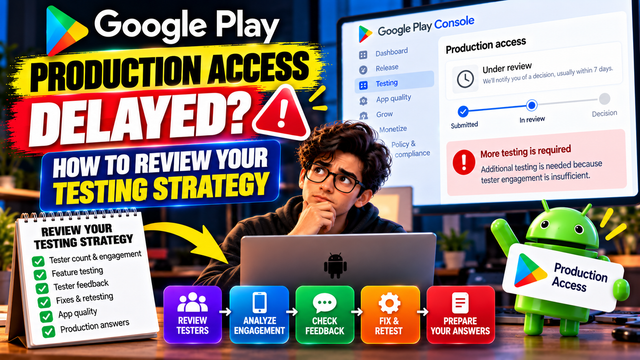
Google Play Production Access delayed? Learn how to review tester engagement, feedback, app quality, testing strategy and Production Access answers before applying again.
You completed your Google Play Closed Test, waited through the required testing period, and finally applied for Production Access.
But instead of moving forward, your application is still pending—or Google has asked you to conduct more testing.
If this happens, the right response is not to immediately start another 14-day cycle without understanding what went wrong.
Google requires personal developer accounts created after November 13, 2023 to run a closed test with at least 12 testers continuously opted in for at least 14 days before applying for Production Access. However, meeting those numbers only makes you eligible to apply. Google also evaluates tester engagement, feedback, app readiness, and your answers in the Production Access questionnaire.
So, if Production Access is delayed, use the opportunity to review your entire testing strategy.
What Does “Production Access Delayed” Actually Mean?
There are a few different situations developers commonly describe as a delay.
1. Your application is still under review
Your Production Access application has been submitted, but Google has not finished reviewing it yet.
In this situation, avoid making unnecessary changes simply because you are waiting. First, check the status and any messages displayed inside Play Console.
2. Google asks for more testing
This is different from a normal review delay.
Google may determine that your app needs additional testing, including when tester engagement is insufficient or the testing process does not provide enough evidence that the app is ready for production.
3. Production Access was declined
If your application was not accepted, don't simply repeat the same testing process.
Instead, identify weaknesses in your previous test and create a stronger testing plan before applying again.
Step 1: Check Your Tester Count
Start with the simplest question:
Did you actually maintain at least 12 testers continuously opted in for the required period?
For eligible personal developer accounts, Google currently requires at least 12 testers to remain continuously opted in for at least 14 days.
Don't assume that inviting 12 people automatically means you completed the requirement.
Review:
How many testers actually opted in?
Did anyone leave the test?
Did anyone stop participating?
Did your tester count fall below the required threshold?
Were testers using the correct closed-testing opt-in process?
Were they still part of the test when you applied?
Don't Aim for Exactly 12
Although 12 is the minimum requirement, recruiting a small buffer can make your testing process more reliable.
For example, you could invite more testers than the minimum so that one person dropping out doesn't immediately put your testing group at risk.
However, more testers do not automatically mean better testing.
Quality and engagement matter too.
Step 2: Stop Confusing Tester Count With Tester Engagement
This is one of the biggest mistakes developers make.
You may see:
12 testers opted in
and assume:
My testing is complete.
But those are not necessarily the same thing.
Google's Production Access questionnaire specifically asks about tester engagement, including whether testers used the available features and whether their usage reflected expected production behavior. It also asks you to summarize the feedback received and explain how it was collected.
Your goal should therefore be:
Don't just recruit testers. Give them something meaningful to test.
Ask testers to:
Complete the main user journey
Try important features
Test different screens
Explore settings
Test login and account flows
Try different network conditions
Report crashes or unexpected behavior
Identify confusing screens
Test important edge cases
Share usability feedback
The exact activities will depend on your app.
Step 3: Review Your Tester Instructions
Another question to ask is:
Did your testers actually know what you wanted them to test?
Sending a message saying:
“Please install my app and test it.”
is not a strong testing strategy.
Instead, give testers a simple testing checklist.
For example:
Day 1–3
Complete registration
Explore the main dashboard
Test the primary feature
Day 4–7
Try secondary features
Test different navigation paths
Report bugs
Day 8–10
Test updated features
Recheck previously reported problems
Day 11–14
Repeat the main user journey
Confirm fixes
Provide final feedback
This gives your testers a clear reason to interact with the application.
Step 4: Review the Feedback You Collected
Google asks developers to summarize tester feedback in the Production Access application.
So don't treat feedback as an optional part of testing.
Create a simple record containing:
Feedback
Action Taken
Status
Login occasionally failed
Fixed authentication flow
Resolved
Button was difficult to find
Improved UI placement
Resolved
App loaded slowly
Optimized startup process
Improved
User requested clearer instructions
Updated onboarding
Resolved
This creates a clear feedback → improvement → retest cycle.
The objective isn't to make your app look perfect on paper.
It's to demonstrate that testing actually influenced your development decisions.
Step 5: Check Whether You Acted on Tester Feedback
Receiving feedback is only the beginning.
Ask yourself:
What changed because of the testing?
Maybe you:
Fixed crashes
Improved navigation
Changed confusing UI
Improved onboarding
Fixed login problems
Optimized performance
Added missing validation
Improved error messages
Changed functionality based on user feedback
Then test those changes again.
This creates a much stronger testing process:
Test → Learn → Fix → Retest → Improve
Step 6: Review Your Latest App Version
Make sure the version being tested is the version you actually intend to release.
Check:
Version code
Version name
App functionality
Permissions
Sign-in process
API connections
Payment functionality, if applicable
Notifications
Deep links
Privacy-related functionality
Crash behavior
Don't spend 14 days testing one build and then assume a completely different build is production-ready.
If you've made significant changes, give testers an opportunity to validate those changes.
Step 7: Check Your Pre-launch Report
Before applying for Production Access, review your Play Console testing reports and investigate important technical problems.
Look for:
Crashes
ANRs
Startup problems
Device-specific issues
Sign-in problems
Memory issues
Compatibility problems
Other serious warnings
A clean technical testing process strengthens your overall production-readiness assessment.
Step 8: Review Your Production Access Answers
Google's Production Access application contains three main sections:
About your closed test
About your app/game
About your production readiness
This is important because your answers should reflect what actually happened during testing.
For example, don't write:
“Our testers tested all features extensively.”
if they only tested the login screen.
Instead, provide accurate information about:
How you recruited testers
How testers engaged with the app
Which features they tested
What feedback they provided
What problems you discovered
What changes you made
How you determined that the app was ready
Keep Your Answers Specific
Weak answer:
“We tested the app and fixed bugs.”
Stronger answer:
“During testing, testers identified issues with onboarding and navigation. We improved the onboarding flow, corrected navigation problems, and asked testers to retest the updated experience before considering the app ready for production.”
The second answer explains the actual process.
Step 9: Review Your Testing Timeline
Don't only look at the final day.
Review the entire testing period.
Ask:
When did testers join?
Were they continuously opted in?
When did they start testing?
What feedback did they provide?
When were bugs discovered?
When were fixes released?
Did testers retest those fixes?
What did you learn from the testing?
This gives you a much clearer picture of whether your closed test was genuinely useful.
Step 10: Don't Restart Another 14-Day Test Blindly
This is perhaps the most important point.
If Google asks for more testing, don't simply think:
“I need another 14 days.”
Instead, think:
“What was missing from my previous testing evidence?”
Review the areas that could have been weak:
Tester count → Engagement → Feature coverage → Feedback → Fixes → Retesting → Production readiness
Then address the weakness.
Running another identical test without changing the underlying strategy may not solve the problem.
Should You Use a Professional Testing Service?
For solo developers and small teams, recruiting and managing testers can become one of the most time-consuming parts of the Google Play publishing process.
If you need help organizing your closed testing campaign, you can explore inTesters, a platform focused on Android app testing and Google Play's 12-tester requirement.
According to its website, inTesters provides real users, physical Android devices, testing activity, tester feedback, and progress tracking for closed-testing campaigns.
Instead of managing testers manually across multiple groups and spreadsheets, developers can use a dedicated testing platform to organize the process.
Important: A testing service cannot guarantee Google will grant Production Access. Google makes the final decision based on its review of your app and testing evidence.
A Better 14-Day Testing Strategy
Here's a simple structure you can use:
Period
Main Focus
Days 1–2
Installation, onboarding and basic functionality
Days 3–5
Core features and primary user journey
Days 6–8
Secondary features and edge cases
Days 9–10
Bug discovery and usability feedback
Days 11–12
Test fixes and updated functionality
Days 13–14
Final regression testing and feedback
Before applying
Review reports, feedback and questionnaire answers
The exact schedule doesn't have to look like this.
What matters is that your testing has a clear purpose.
Production Access Review Checklist
Before applying again, ask yourself:
Tester Status
At least 12 testers are continuously opted in
Testers joined through the correct testing process
I have reviewed tester participation
App Testing
Core user journey was tested
Important features were tested
Testers explored realistic use cases
Important bugs were identified and addressed
Feedback
I collected meaningful tester feedback
I documented important findings
I acted on relevant feedback
Testers retested important fixes
Technical Readiness
Latest build is stable
Important crashes are addressed
ANRs have been reviewed
Pre-launch results have been checked
Sign-in and critical functionality work correctly
Production Application
Tester recruitment answer is accurate
Tester engagement answer is accurate
Feedback summary is specific
App value proposition is clear
Production-readiness explanation is honest and detailed
Final Takeaway
A delayed or unsuccessful Production Access application doesn't necessarily mean you need to start from zero.
It means you should step back and evaluate the quality of your testing process.
The 12 testers + 14 days requirement is an important eligibility requirement for affected personal developer accounts, but Production Access is not automatically granted simply because the timer reaches 14 days. Google also asks about tester engagement, feedback, changes made from testing, and production readiness.
So before starting another testing cycle, review:
Testers → Engagement → Features → Feedback → Fixes → Retesting → Technical Quality → Production Answers
If managing testers is becoming difficult, you can also explore inTesters for Android app testing as one option for organizing your closed-testing campaign.
The goal isn't simply to complete 14 days.
The goal is to use those 14 days to prove that your app has been meaningfully tested, improved, and prepared for real users.
FAQs
1.Is 12 testers for 14 days enough for Production Access?
It fulfills the published closed-testing eligibility requirement for affected personal developer accounts, but it does not guarantee Production Access. Google also evaluates information about tester engagement, feedback and production readiness.
2.Can Google ask for more testing after 14 days?
Yes. Google may require additional testing if it determines that more testing is needed, including when tester engagement is insufficient.
3.Do testers need to open the app every day?
Google's official requirement focuses on testers being continuously opted in for at least 14 days and asks developers about tester engagement. It does not state that every tester must open the app every single day as a specific hard requirement.
4.Should I immediately start another 14-day test after rejection?
Not necessarily. First review your tester participation, engagement, feedback, bugs, app updates and Production Access answers. Then improve the testing strategy before repeating the process.
5.Can a testing service guarantee Production Access?
No. A third-party service can help organize testing, but Google makes the final Production Access decision.
About the Author

Saksham Goyal
Expert software tester and contributor to the community. Passionate about AI, automation, and user experience.