
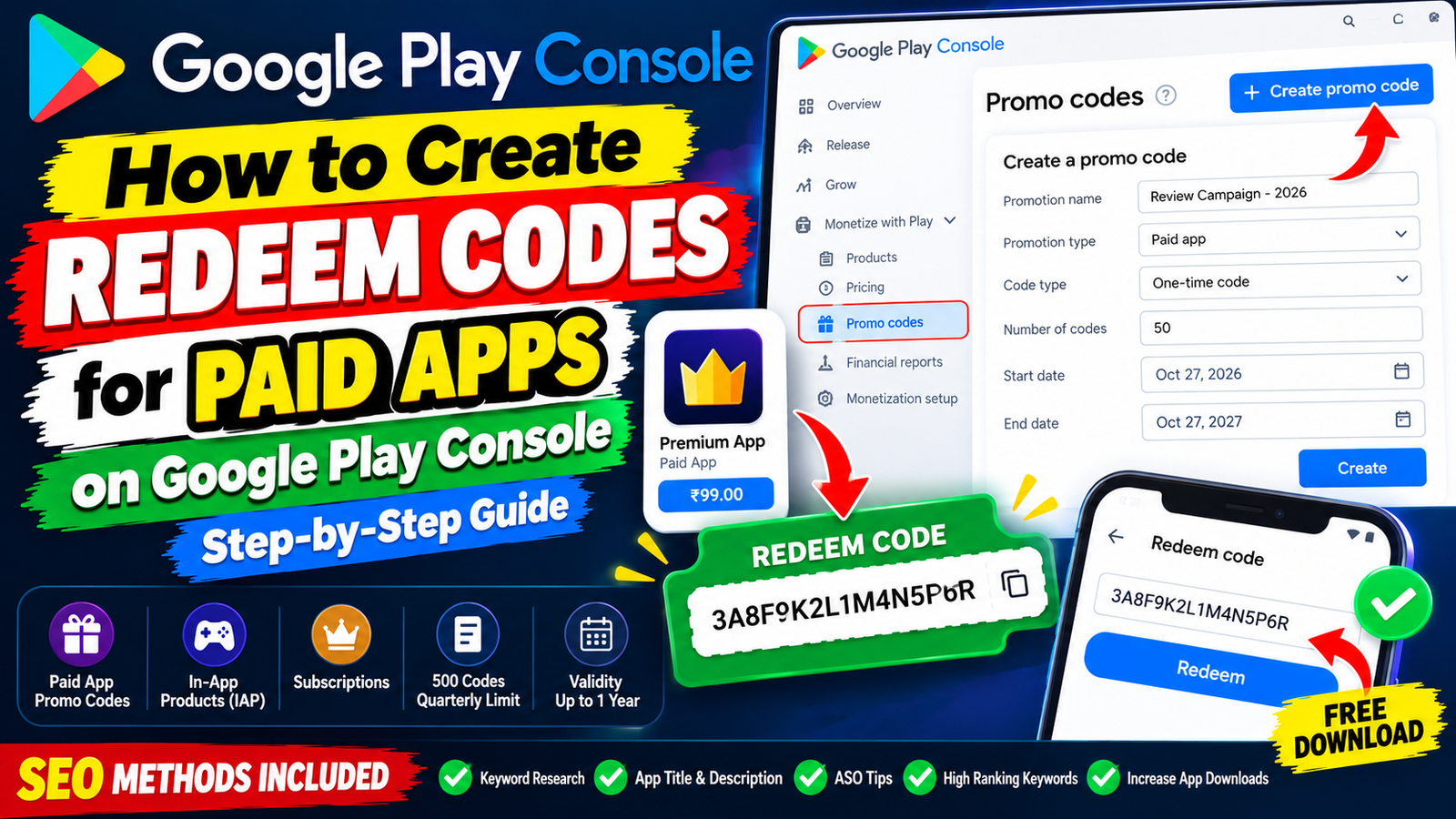
Creating redeem codes in the Google Play Console is an effective way to distribute your paid application to reviewers, partners, and beta testers. Keep your 500-code quarterly limit in mind, use one-click deep links for a smooth user experience, and manage your mandatory closed testing track with professional discipline to scale your paid app successfully.
Whether you are distributing review copies to tech journalists, running promotional giveaways, or providing free access to beta testers, generating promo/redeem codes for a paid Android application is an essential store management skill.
Google Play Console allows developers to generate custom promo codes that bypass the upfront purchase price. When a user redeems one of these codes on the Google Play Store, they download and install your paid application completely free of charge, just as if they had purchased it.
This complete guide details how to create redeem codes in the Google Play Console, explains platform limits and rules, provides deep-linking shortcuts for your users, and covers how to clear Google's mandatory pre-launch quality checks on your first try.
What Are Google Play Promo Codes?
A Promo Code (or redeem code) is a unique alphanumeric string generated inside your developer dashboard.
Google allows you to generate promo codes for three specific use cases:
Paid Apps: Unlocks your paid app download upfront without charging the user.
In-App Products (IAP): Unlocks specific digital items (e.g., game coins, ad-removal upgrades, or extra tools).
Subscriptions: Provides a free trial period for recurring subscription plans.
Essential Platform Limits & Rules:
The 500-Code Quarterly Cap: Google caps your promo code limit to 500 codes per quarter across all non-subscription promotions (paid apps and in-app products combined). Unused code allowances do not roll over to the next quarter.
Validity Windows: You can set a promotion duration anywhere from a single day up to 1 year. Once the end date passes, unredeemed codes expire automatically.
Single-Use vs. Custom Codes: For paid apps, Google generates randomized one-time codes. Each code can only be redeemed once by a single Google Play account. (Custom reusable codes like
SUMMER2026are restricted to subscription promotions).
Step-by-Step: How to Create Redeem Codes in Play Console
Follow this straightforward walkthrough to generate and export your code list:
Step 1: Open Your App's Monetization Settings
Log into your Google Play Console.
Select your paid app from the dashboard.
On the left-hand sidebar menu, scroll down to Monetize with Play and click on Promo codes.
Step 2: Set Up Your Promotion Campaign
Click the blue Create promo code button near the top right.
Promotion Name: Enter an internal reference name (e.g.,
Press Review Campaign - Q4 2026). This is invisible to end-users.Start Date & Time: Choose when the redeem codes become active.
End Date & Time: Choose when the codes expire (up to 1 year max).
Step 3: Configure Code Type & Quantity
Under Promotion type, select Paid app.
Under Code type, select One-time code.
Number of codes: Enter the quantity of codes you want to generate (e.g.,
50). Ensure this number does not exceed your remaining quarterly balance.Review your terms and click Create.
Step 4: Download Your Code List
Once created, your campaign status will update to Live.
Click Download codes next to your campaign name.
The console exports a
.csvtext file containing your list of unique redemption keys (e.g.,3A8F9K2L1M4N5P6R) along with their direct redemption links.
How Users Redeem Codes (Manual & Deep Link Methods)
To make onboarding seamless for your users, you can distribute codes using two different methods:
Method A: Manual Redemption (Inside Play Store)
Instruct your user to:
Open the Google Play Store app on their Android phone.
Tap their profile icon in the top right corner.
Select Payments & subscriptions > Redeem code.
Type or paste the 16-character alphanumeric code and tap Redeem.
The paid app unlocks instantly, and the user taps Install.
Method B: One-Click Deep Link (Recommended)
Save your users time by generating a auto-fill deep link. Google Play supports direct URL redemption parameters:
Plaintext
https://play.google.com/redeem?code=YOUR_PROMO_CODE
Replace YOUR_PROMO_CODE with the generated key. When a user taps this link on their Android phone, the Play Store app opens automatically with the code pre-filled in the text box, requiring just one confirmation tap to install.
The Pre-Launch Trap: Closed Testing Rules for Paid Apps
A common mistake made by new developers launching paid apps is assuming they can immediately generate promo codes to skip the store setup phase.
If your personal developer account was created after November 2023, Google will not allow you to publish a paid app or generate live promo codes until you clear the mandatory closed testing requirement.
Before public release, you must run a closed test with a minimum of 12 verified testers who must keep your application installed and actively test it for 14 consecutive, uninterrupted days.
Why Casual DIY Testing Tracks Get Rejected
Many developers try to bypass this rule by trading installs on Reddit or Discord. After waiting out two full weeks, they receive a rejection email stating: "Your app requires more testing before it can be pushed to production."
This occurs because casual exchange partners practice an "open and close" routine—installing the build, launching it once for 3 seconds, and never opening it again. Google evaluates background user telemetry through Play Services. A history of shallow 3-second sessions flags your testing track as artificial, resetting your 14-day streak to day one.
Secure Your Store Access via Managed Professional Testing
To ensure your paid app passes Google's production review on your first attempt, the most strategic approach is to leverage a managed professional closed testing platform like inTesters.
Rather than chasing down unreliable contacts, an enterprise testing service provides an organized network of 20+ real human testers using unique physical Android smartphones:
Guaranteed 14-Day Track Stability: Maintains a safety buffer of 20+ verified testers over the mandatory minimum of 12, ensuring your active user count remains stable without drop-offs.
100% Real Physical Hardware: Vetted testers evaluate your application across real physical devices (Samsung, Pixel, OnePlus, Xiaomi, etc.)—never emulators.
Organic Deep User Telemetry: Testers open your application daily, navigate submenus, test core features, and generate the deep user telemetry Google's review board evaluates for 2 to 3 minutes per session.
AI-Verified Proof Logs: Automated verification systems review daily visual proof screenshots to confirm authentic human engagement every single day.
Production Questionnaire Mapping: Receive detailed crash logs, compatibility reports, and feedback summaries to help you easily complete Google's 10-question Production Access Questionnaire.
Competitive Analysis: What Other Guides Miss
When researching promo code creation, many online tutorials omit critical technical nuances:
Redeem Codes Do Not Trigger Real Payments: Using a promo code to download a paid app generates zero revenue in your Google Merchant Profile. No developer fees or payout splits occur on redeemed transactions.
Handling Refunds on Code Purchases: Users who download a paid app via a promo code cannot request monetary refunds from Google Play, as no currency changed hands.
Updating Paid Apps Downloaded via Promo Code: Users who redeem a promo code own the paid app license permanently. They will receive all future software updates directly through the Play Store just like paying customers.
About the Author

Pratyush Kumar Thakur
Expert software tester and contributor to the community. Passionate about AI, automation, and user experience.