
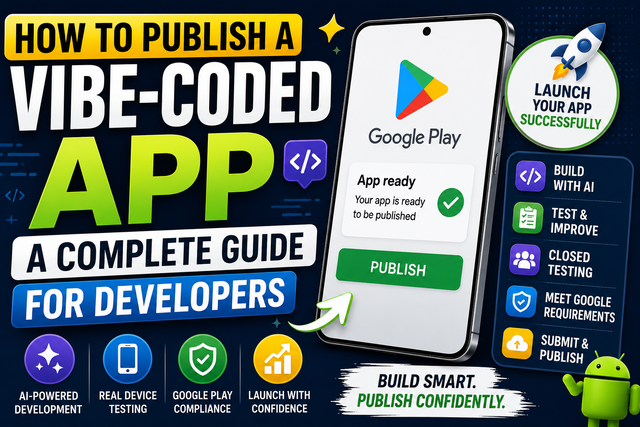
Publishing a vibe-coded app requires more than AI-generated code. Learn how to test your app, complete Google Play Console requirements, optimize your Play Store listing, and successfully launch your Android app with this developer-friendly guide.
Introduction
AI-powered coding tools have changed the way developers build apps. Today, it's possible to create an Android app by describing your idea in plain language and letting AI generate much of the code. This approach is often called vibe coding.
While building an app with AI can be much faster, publishing it on the Google Play Store still requires careful preparation. Google doesn't approve apps based on how they were built. Whether your app is written by hand or generated with AI, it must meet the same quality, security, and policy standards.
In this guide, you'll learn how to publish a vibe-coded app successfully, avoid common mistakes, and prepare your app for a smooth review process.
What Is a Vibe-Coded App?
A vibe-coded app is an application created with the help of AI coding tools. Instead of writing every line of code yourself, you describe what you want, and the AI generates code, user interfaces, or complete features.
Developers usually review, edit, and improve the generated code before releasing the app.
Popular AI coding assistants can speed up development, but they don't replace proper testing or quality checks.
Why Does Publishing Still Matter?
Building an app is only half the journey. Before users can download it, your app must pass Google's review process.
Publishing your app correctly helps you:
Meet Google Play requirements.
Improve app quality.
Build trust with users.
Reduce the chances of rejection.
Launch with confidence.
Even if AI helped build your app, you're still responsible for making sure it works as expected.
Step-by-Step Guide to Publishing a Vibe-Coded App
Step 1: Review the AI-Generated Code
AI can generate code quickly, but it isn't perfect.
Before publishing:
Remove unused code.
Fix errors and warnings.
Improve performance.
Check for security issues.
Organize your project.
Never assume AI-generated code is ready for production without reviewing it.
Step 2: Test Every Feature
Use your app like a real user.
Check:
Login and sign-up
Navigation
Buttons
Forms
Notifications
Payments, if included
Offline behavior
Testing helps you catch problems before your users do.
Step 3: Complete Google Play Closed Testing
If your developer account requires Google Play Closed Testing, complete this stage before requesting production access.
Invite real testers to use your app and collect honest feedback.
Use their suggestions to improve stability, fix bugs, and make the app easier to use.
Step 4: Build a Signed Android App Bundle
Google Play recommends uploading an Android App Bundle (AAB).
Before creating your release:
Update the version code.
Update the version name.
Verify your signing key.
Build the release version.
Test the final build.
These checks help prevent upload problems.
Step 5: Create a Professional Play Store Listing
Your Play Store page is often the first thing users notice.
Make sure it includes:
App title
Short description
Full description
High-quality screenshots
App icon
Feature graphic
Contact details
Privacy Policy
Focus on the value your app provides instead of simply listing features
Step 6: Complete Google Play Requirements
Before publishing, fill out every required section in Google Play Console.
Depending on your app, this may include:
Data Safety
Content rating
Advertising declaration
Target audience
App access details
Permission declarations
Providing accurate information helps your review go more smoothly.
Step 7: Review AI-Generated Content
If AI helped create your text, images, or other content, review everything carefully.
Check for:
Incorrect information
Grammar mistakes
Copyright issues
Poor-quality images
Misleading descriptions
Remember, you're responsible for everything included in your app.
Step 8: Submit Your App for Review
Once you've completed every step, upload your release and submit it through Google Play Console.
Before clicking submit, double-check:
App performance
Store listing
Policy forms
Privacy Policy
Screenshots
Permissions
A final review can help you catch small mistakes before Google does.
Common Mistakes to Avoid Before Publishing Your Android App
Even if your app looks complete, a few common mistakes can lead to bugs, poor user experience, or delays during the Google Play review process. Here's what to avoid.
Publishing Without Testing
Launching your app without proper testing is one of the biggest mistakes developers make. Even if your app works well on your own device, it may behave differently on other Android phones or OS versions. Thorough testing helps you identify crashes, performance issues, compatibility problems, and usability bugs before your users do.
Trusting AI Completely
AI coding tools can speed up development, but they aren't perfect. AI-generated code may contain logical errors, outdated implementations, security vulnerabilities, or unnecessary code. Always review, test, and understand the generated code before including it in your application. Think of AI as a helpful assistant—not a replacement for careful development and testing.
Ignoring Security
Security should be part of every stage of app development. Before publishing, check that your app doesn't expose API keys, authentication tokens, passwords, or other sensitive information. Review the permissions your app requests and remove any that aren't essential. Following secure coding practices helps protect both your users and your application.
Poor Store Listing
Your Google Play Store listing is often the first impression users have of your app. An incomplete or poorly written listing can reduce downloads and may delay the review process if required information is missing. Use a clear app title, an informative description, high-quality screenshots, an attractive app icon, accurate contact information, and a privacy policy where required to create a professional listing.
Skipping Google Play Closed Testing
If your Google Play developer account requires closed testing before production access, don't skip this step. Complete the required testing period with active testers, gather meaningful feedback, fix reported issues, and ensure all Play Console requirements are completed before requesting production access. Proper closed testing not only helps meet Google's requirements but also improves your app's overall quality before launch.
Best Practices
To publish a successful vibe-coded app:
Review all AI-generated code.
Test your app on multiple Android devices.
Fix bugs before publishing.
Use high-quality graphics.
Complete every Play Console requirement.
Follow Google Play policies.
Collect feedback from real users.
Continue improving your app after launch.
Frequently Asked Questions
What is a vibe-coded app?
A vibe-coded app is an application created with the help of AI coding tools that generate code based on prompts or natural language instructions.
Can AI-generated apps be published on Google Play?
Yes. Apps built with AI can be published as long as they meet Google Play's quality, security, and policy requirements.
Do AI-built apps need Google Play Closed Testing?
If your developer account requires Closed Testing, the requirement applies regardless of whether the app was built manually or with AI.
Should I review AI-generated code?
Absolutely. AI can make mistakes, so every part of the generated code should be reviewed, tested, and improved before release.
Can AI replace app testing?
No. AI can help build an app, but only proper testing can confirm that it works correctly across different devices and situations.
My thoughts
Vibe coding has made app development faster and more accessible, but publishing a successful Android app still requires careful work. Reviewing AI-generated code, testing every feature, following Google Play requirements, and listening to user feedback are all essential steps before launch.
Think of AI as a powerful assistant rather than a replacement for good development practices. By combining AI with careful testing and thoughtful preparation, you can publish a high-quality app that users will enjoy and trust.
Call to Act
Planning to publish a vibe-coded app? Use this guide as your checklist before submitting your app to Google Play.
Follow our blog for more Google Play Console tutorials, Android app publishing tips, AI development guides, and practical advice to help you launch better apps with confidence.
Simplify Your Google Play Closed Testing with Professional Test Management
Managing a successful closed testing campaign can be time-consuming, especially when you're trying to recruit reliable testers and keep them engaged throughout the required testing period. A managed testing service like InTesters.com helps streamline this process by coordinating your testing from start to finish.
Instead of searching for testers on your own, you gain access to a network of real Android users testing on a variety of physical devices. Testers install your app through Google Play, explore its core features, complete common user actions, and provide valuable feedback that can help you identify bugs, usability issues, and device compatibility problems.
A structured testing process also makes it easier to track participation, monitor testing progress, and collect meaningful insights before applying for production access. With organized testing records and real user feedback, you'll be better prepared to answer Google's production access questions and submit your app with greater confidence.
Whether you're publishing your first Android app or managing multiple releases, InTesters.com provides a simple, organized way to handle Google Play Closed Testing so you can spend more time building your app and less time managing testers.
While no service can guarantee approval from Google Play, professional test management helps reduce common testing challenges and allows you to focus on improving your app instead of managing the testing process.
About the Author

Saksham Goyal
Expert software tester and contributor to the community. Passionate about AI, automation, and user experience.