
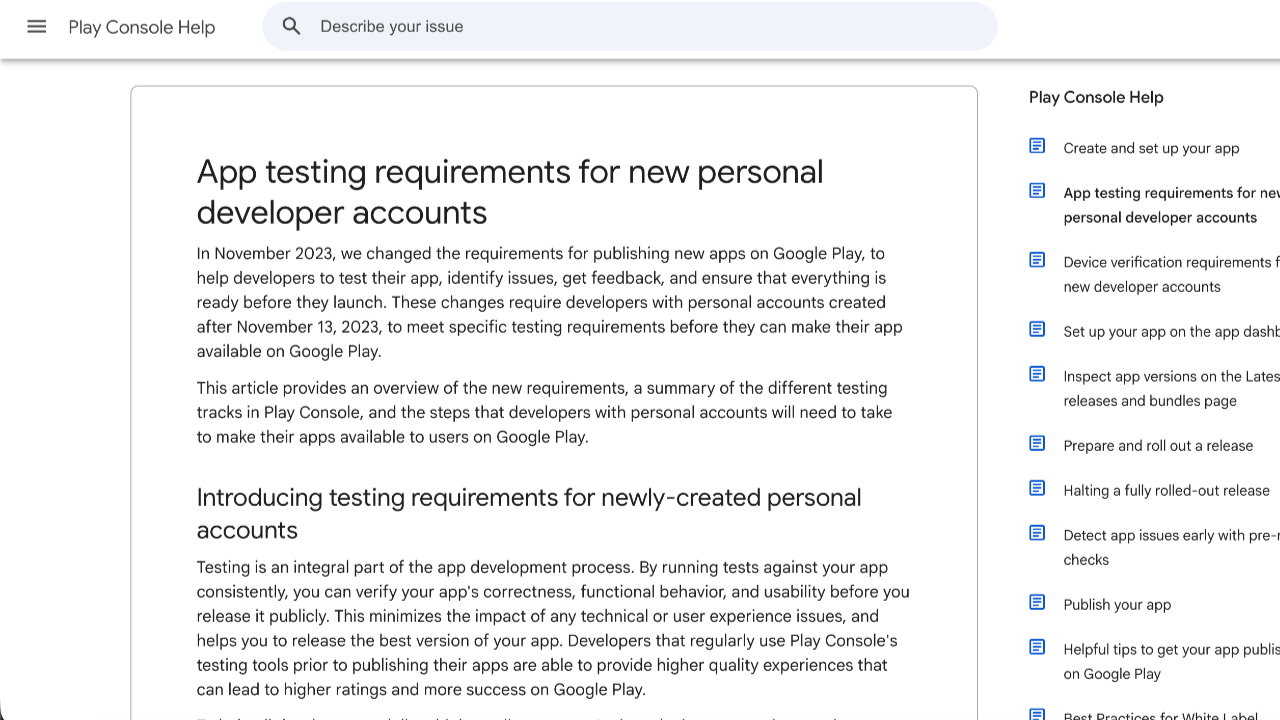
For Android developers, the days of writing code over the weekend and launching an app on the Google Play Store by mid-week are officially over. If you registered a Personal Developer Account, you are now blocked by a massive compliance barrier before you can even think about going live.
That barrier is the mandatory closed testing phase.
Many indie developers treat this requirement as a minor checkbox, only to have their final production application rejected after weeks of waiting. This guide covers why closed testing is compulsory in Google Play Console, the user metrics Google is tracking under the hood, and how you can complete this phase smoothly without wasting months in a rejection loop.
The Policy: Why Google Made Closed Testing Compulsory
Google introduced a strict policy requiring a mandatory testing track for new developers to clean up the Play Store from malware, low-quality software, and abandoned utility clones.
The 2026 Core Rule: If your personal developer account was created after November 13, 2023, you cannot publish an app directly to the public store. You must run a closed test with at least 12 verified testers who must remain continuously opted-in for 14 consecutive days.
Who is Affected by This Rule?
Understanding where this policy applies can help you plan your launch strategy:
If you're using a personal Google Play developer account that was created after November 13, 2023, Google requires you to complete the closed testing phase before you can apply for production access. This means maintaining at least 12 testers for 14 consecutive days and then submitting a production access request for review.
However, developers who created their personal accounts before November 13, 2023, are generally not subject to this requirement. These older accounts can typically publish apps directly to production without going through the mandatory 12-tester testing track.
The situation is also different for organization or company accounts. Businesses publishing under a verified corporate account are usually exempt from the closed testing requirement once the organization verification process is completed. After successfully verifying the business and its associated details, these accounts can often move to production without completing the same testing process required for newer personal accounts.
Because Google occasionally updates its policies, it's always a good idea to check the latest requirements in your Google Play Console. Understanding which category your account falls into can save you significant time and help you plan your app launch more effectively.
Why Google Play Requires a Mandatory Closed Test
Google's review algorithms and manual engineering teams look closely at the data coming out of your testing track. They mandate this phase for three specific reasons:
1. Verification of Real User Telemetry
Google tracks background engagement data via Google Play Services. They want to see that real human beings on distinct, physical Android smartphones are opening the app, triggering layouts, and spending real time interacting with your software.
2. Identifying Device-Specific Technical Stability
The Android ecosystem runs on thousands of different hardware configurations. Closed testing forces your app bundle (.aab) to run across varying screen ratios, processor architectures, and Android OS versions (from legacy builds up to the latest Android releases). This helps ensure your app won't crash on launch when it hits the mass market.
3. Policy and Security Compliance Check
Before your app ever faces the public, running it in a closed track allows Google's automated threat-detection crawlers to audit your code logic for background data leaks, hidden policy violations, or non-compliant SDK integrations.
The Danger of Free "Swap" Testing Communities
When faced with recruiting 12 testers, many developers look for free tester swaps on Reddit, Discord, or Facebook groups. While this approach seems cost-effective, it regularly leads to an immediate rejection when you apply for production access.
Casual online contacts typically exhibit highly erratic testing behaviors that flag your track as artificial:
Shallow Sessions: Community swap users will open your app for 3 seconds to log an install, then close it immediately. Google monitors session lengths; a history of 3-second interactions flags the testing data as fake.
Sudden Uninstalls: Internet strangers have no loyalty to your launch timeline. If a tester uninstalls your app on day 10 to free up space, your active tester pool drops to 11. Your 14-day streak breaks instantly, and the console resets your countdown clock to zero.
Emulator Footprints: Many forum users use desktop emulators to handle dozens of apps at once. Google's telemetry easily catches virtual machine footprints, which can lead to strict policy alerts on your account.
How to Set Up and Complete Closed Testing Easily
Managing your closed testing track doesn't have to be an administrative nightmare. Follow these clear steps to set up your track properly:
Step 1: Link via Google Groups (Not CSVs)
When configuring your track under Testing > Closed testing > Testers, choose the Google Groups method instead of typing an individual email list or uploading a CSV file. Create a dedicated group (e.g. [email protected])on the Google Groups portal. This allows you to add, remove, or swap testers externally without modifying your active console release, protecting your 14-day countdown streak from resetting.
Step 2: Configure Global Geographic Availability
Before sharing your private onboarding links, navigate to your track's Countries/regions tab and add all available nations. If your testers are located globally and your track is locked to a single region, they will hit a frustrating "App not available in your country" error, stalling your testing timeline.
Step 3: Push a Technical Update Mid-Cycle
A static test track looks suspicious to manual reviewers. To prove you are running a genuine development cycle, gather feedback from your users and upload at least one optimized app bundle update (.aab version) mid-way through your 14 days. This shows Google you are actively maintaining and polishing the app based on actual telemetry data.
Secure Immediate Approval via Managed Professional Testing
Coordinating a decentralized group of 12 to 15 real people, tracking their daily usage metrics, and constantly reminding them to keep your app on their phones for half a month can be an exhausting administrative distraction.
If you want to completely eliminate the risk of a 14-day reset loop and pass Google's manual review on your very first try, the most efficient strategy is to leverage a managed professional testing service before you launch your track.
A premium professional framework ensures your application hits every single user engagement metric Google’s review board looks for:
Full 14-Day Compliance Guarantee: Comprehensive monitoring to ensure your track metrics run smoothly without data gaps.
20+ Vetted, Real-Device Testers: Provides a reliable safety buffer over the mandatory minimum. Every tester uses a unique, physical Android phone tied to an active Google Play account—no emulators allowed.
Organic Deep Engagement: Vetted testers open your app daily and interact with your interface for a minimum of 2–3 minutes per session, navigating layouts and generating clean user data.
Detailed Technical Bug Reports: Professional QA analysis detailing performance across varying Android OS builds, device models, and UI rendering states.
Production Access Questionnaire Support: Pre-mapped technical data summaries to help you confidently complete Google's strict 10-question production access application form with ease.
Final Thoughts
Google Play's closed testing restrictions are a mandatory quality gate that requires professional discipline to clear. Avoid shortcuts like superficial forum swaps that look artificial to review bots. Set up your track cleanly, build a resilient testing pool with real physical devices, and provide Google with the authentic engagement data needed to move your app straight to production.
About the Author

Pratyush Kumar Thakur
Expert software tester and contributor to the community. Passionate about AI, automation, and user experience.